

The Marketplace has launched and naturally the first thing I want to know is where the Maker Packs are installed to on my Mac. I presumed it would be in The Sims 4 Packs folder where all our DLC is installed, outside of the base game, but apparently not.
If you’re nosy like me and want to know where your Moola purchases are stored, look in your hidden user Library folder. In Finder click on Go in the menu bar then Go to Folder and copy/paste this file path then hit Enter/Return and it will pop up in the Finder window:
~/Library/Application Support/TS4
Or navigate manually:
The files ending .bpf are the Maker Packs you’ve downloaded:
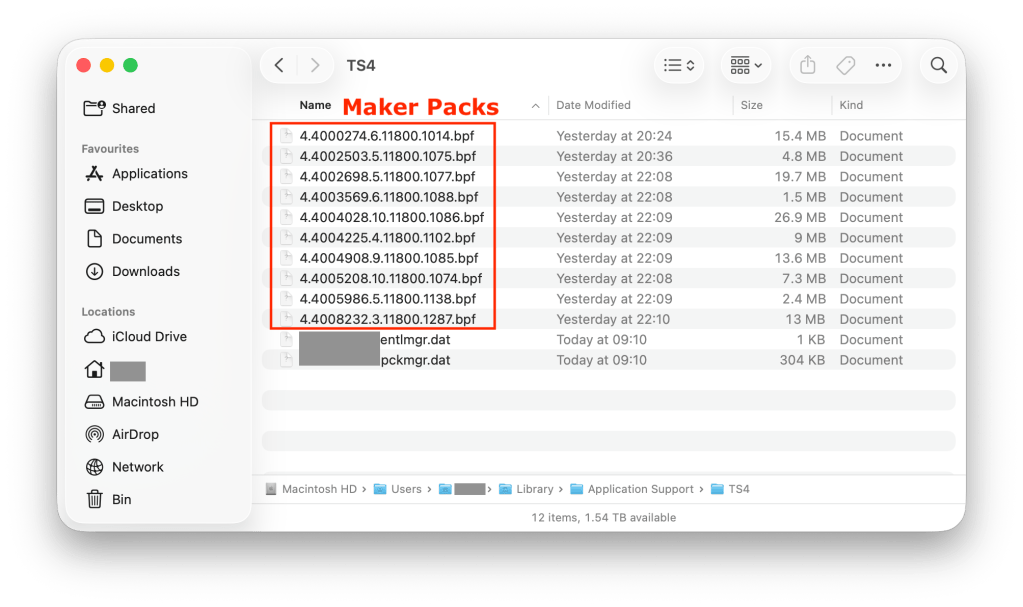
When you install Maker Packs they download here. If you want to uninstall the easiest way is to do it in-game via the Marketplace > My Collection:

Manage Storage:

Then click on the little check box of the Maker Pack you would like to uninstall and click Uninstall:
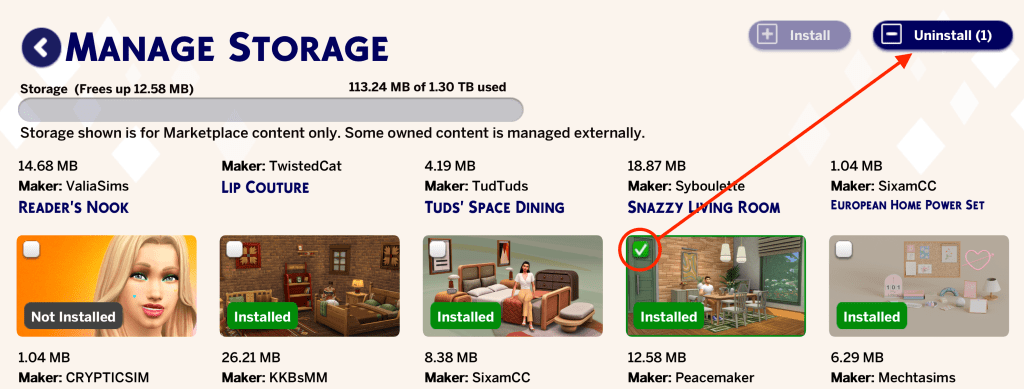
The relevant .bpf file in the Library > Application Support > TS4 folder will disappear. This is great if you are having storage issues on your internal drive and need to free up space but will of course mean that those items will be removed from your game, even if you have the game installed on an external drive, because the Maker Packs are separate from the base game and Sims 4 Packs installation location set in EA App > Settings > Download. Basically it seems the game installation has been split into two.
What does this mean if you have the game installed on an external drive?
Essentially nothing providing you have enough internal storage space on your Mac to hold all the Maker Packs you own. But if you have space issues on your Mac you’re going to have problems. The hidden Library > Application Support > TS4 folder is not a folder you can simply move to the external drive. Nor is it a location that iCloud accesses. It is only a local folder and each user account on your Mac has its own Library folder. I hope that Maxis rethink this location and add the Maker Packs to the Sims 4 Packs folder so we have the game installation all in one place. In the meantime I think it may be possible to get round this by storing the TS4 folder on the external drive, if you’re using one, and creating a symlink in the Application Support folder but I need to test this.
This also affects Windows players but the hidden folder location is different. We’ve started a Feedback thread on the forums here – https://forums.ea.com/discussions/the-sims-4-feedback-en/marketplace-download-data-stored-in-hidden-folder-location/13264516
 Bluebellflora