

This is really nice and simple and not to be confused with your Documents > Electronic Arts > The Sims 4 folder which contains your saves, Mods and all user data. This the game installation location:
- open EA App and login
- either click on EA App > Settings in the menu bar or click on your user thumbnail in the app top right corner and then Settings.
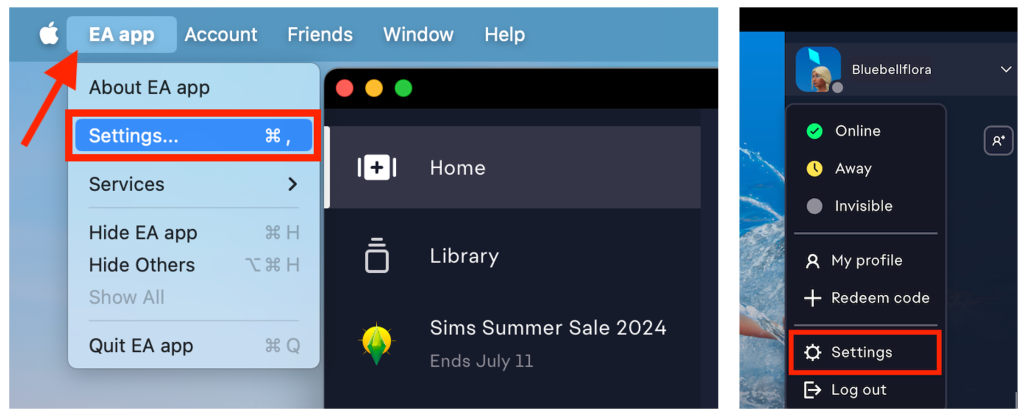
- In Settings click on the Download tab then Edit next to Install location.

- a Finder window will pop up. Navigate to where you would like your games installed to, click on the location, such as Applications or Applications > EA Games, then click Open. If you want to install the game on an external drive make sure it is mounted and showing in the Finder sidebar and simply click on it then select Open.
- The install location will have now changed and reflect the new location in EA App.
- If you are prompted to allow EA App access to removable volumes when changing to the external drive, click Allow.
 Bluebellflora