Mac System Requirements for The Sims 4

Updated – Please read this page for recommended system requirements. The recommended requirements are more relevant as you add Expansion, Stuff and Game Packs to your game.

EA have posted the system requirements for the OS X version of The Sims 4 over on the forums:

  • Minimum OS – Mac OS X Lion (10.7.5)
  • CPU – Intel Core 2 Duo 2.4Ghz or better
  • RAM – At least 4Gb RAM
  • Hard Drive – At least 10Gb of free space with at least 1Gb additional space for custom content
  • Video – NVIDIA GeForce 9600M GT, ATI Radeon HD 2600 Pro or better. Video RAM (VRAM) of 256 MB or better
  • Input – Keyboard and Mouse
  • Online Requirements: Internet Connection required for product activation

So if you have a Mac that’s up to about 7 years old (which Apple class as vintage), you should still be able to play. My mid 2007 iMac should be able to play The Sims 4, in theory. It has the exact minimum requirements EA have stated (2.4Ghz Core 2 Duo, 4Gb RAM, ATI Radeon HD 2600 256 MB) – this should be interesting! I’ll be running a comparison between the iMac and my trusty 2012 MacBook Pro once it’s released. Don’t forgot you’ll need to have Origin installed in order to download and play the game. Also, if you’ve already bought the Windows version, your Mac version will be available at no extra cost. Edit – Ok, I have to edit this post to add more information about Macs because some of the questions I’m seeing on other websites and social media about the system requirements are just ridiculous.

  1. If you have a Mac that has an i3, i5 or i7 processor, you should be fine. These are more recent and powerful than the Intel Core 2 Duo stated in the CPU requirements.
  2. If you have a Mac which has the Intel 3000 or Intel 4000 or Intel 5000 graphics cards, you should be fine. The same goes for the Intel Iris and Iris Pro cards. Bear in mind though that these are integrated graphics cards, not dedicated. Your graphical settings in game may need to be low and your game may struggle as more EPs are added in the future.
  3. If you have a 13″ MacBook Pro (non-retina) with one of the integrated Intel cards, and it has 384Mb VRAM, you can increase this to 512Mb VRAM by upgrading the system RAM to 8Gb. This will boost your game performance.
  4. Remember that The Sims 3 runs so appallingly on Macs because EA used Cider to make the game OS X compatible. Your game thinks it’s running in Windows, not OS X. All signs indicate that The Sims 4 will be native to Mac, as The Sims 1 and The Sims 2 were.
  5. If you’ve Boot Camped your Mac and you can play The Sims 4 well, this is absolutely NO indication of how well the game will play in OS X. Remember, different operating system/different drivers, even though the hardware is the same.
  6. And lastly, why ask the question “will my Mac be able to run The Sims 4?” when no-one knows what else you have installed or how good you are at maintaining basic housekeeping on your Mac? If your Mac meets or exceeds the minimum requirements EA have stated then yes, there’s a pretty good chance that your Mac will be able to play The Sims 4 – use some common sense!
  7. If you have a retina MacBook Pro you cannot upgrade RAM or memory to free up more space. They are sealed units (why do you think I won’t trade in my non-retina MacBook Pro? 😉 ). Well, you can but you need to be technically proficient and it will invalidate any warranty or Applecare you have on the machine. Same goes for some of the more recent iMacs. And has always applied to the MacBook Airs (apart from the first gen. which had a SSD instead of flash memory).

Please share this page on Twitter/Facebook/forums/anywhere you feel it may be informative to others. Those 7 points really do cover the majority of the questions being asked.
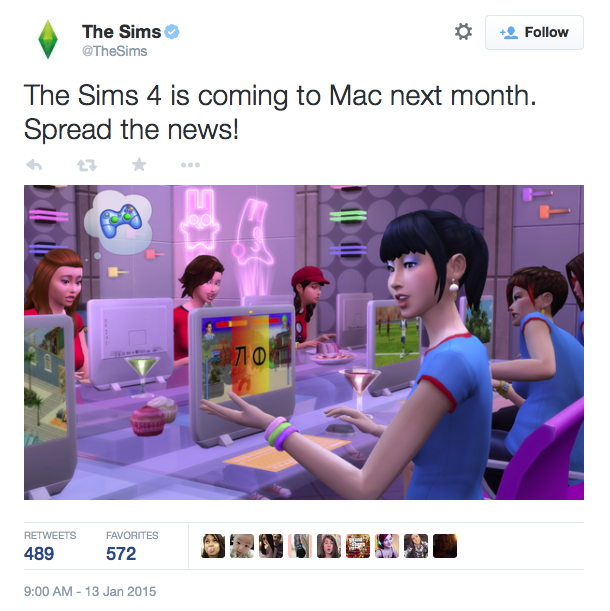
The Sims 4 for Mac available in February

Screen Shot 2015-01-13 at 18.25.56

I’m sorry, I can’t even pretend to be excited about this because I absolutely don’t give a flying f**k. I’ve played the game and got bored. I tried again a few months later and gave up after half an hour. Yes there are a few cool things but overall I find it dull and uninspiring. If they bring back CASt I will absolutely give it another go because that’s what I miss the most.

But that’s just my opinion. It obviously doesn’t suit my playing style. Thousands of others have enjoyed it though so some of you may be pleasantly surprised. I’ll be downloading it and hammer the crap out of it to see how well it works in OS X so stay tuned for help threads etc.

Edit – A very important point to note is that if you’re already playing The Sims 4 on your Boot Camped Mac, you will not have to buy the Mac version. EA have confirmed that whether you buy the PC or Mac version, the alternative version will be available at no extra cost, like Simcity.

The Sims 4 – the good, the bad and the ugly

The Sims 4. Not a game I was really looking forward to. That alone made me a little sad. I’ve bought all The Sims games since the very first one, nearly all the EPs and SPs and a ton of store content for TS3. And on the whole I’ve enjoyed them all. But nothing looked particularly great about TS4. The screenshots looked cartoony and all EA seemed to push were the Sims and their emotions, something I really couldn’t give a damn about. They sacrificed toddlers, again something I couldn’t care about but I can see how story tellers and legacy players would be annoyed. The lack of swimming pools is a bit disappointing but I can live with that.

The following is a compilation of all the stuff I’ve come across over the last couple of days that’s made an impression, be it good, bad or ugly.

The good:

  • The game loads in seconds and the loading screens are quick when you’re travelling around town (for now at least, before DLC and EPs no doubt slow it down).
  • It feels so smooth to play. No juddering or lag (so far…).
  •  CAS and build mode seem a lot easier for those who just want to get on and play the game. I have no interest in CAS so for me, taking 5 minutes to make a semi decent Sim was a bonus.
  • The roofing tool has been given a proper upgrade. You can have different patterned and coloured roofing sections. You can also quickly make the roof convex or concave by pulling up or down on the little white ball that appears when you select the roof section.
  • I love, love, LOVE being able to make objects bigger. This really makes landscaping a lot better as the selection of outdoor plants and rocks isn’t exactly large. In build mode you bring up the cheat console, type in testingcheats true and hit enter. Then grab an object, let go of the mouse, hold down Shift and press ]. To make the object smaller again hold down Shift and press [. As soon as you move the object you’ll see the size difference:


The bad:

  • There is no CASt. I’m finding it really hard to love this game for the simple reason that EA decided to take out CASt, something which we are so used to that it really seems like a massive step backwards. And most of EA’s colours and patterns are downright hideous. I swore that I wouldn’t buy TS4 because there was no CASt and now that I have I knew I should have trusted my instincts. It’s very hard to make a really great room or to have a standard theme running through a build because there’s no way to mix and match colours and patterns properly.
  • There is no MOO. Another thing that we’ve become so accustomed to and enjoyed using. You can slightly overlap some objects but this sometimes results in the objects disappearing. My Sim’s front door was constantly vanishing until I moved a flower pot which was nearby.
  • Not having the same camera control interface or possibilities, especially in build/buy mode.
  • The edges of bookcases and other objects placed in a corner still disappear slightly into the wall. This has always really annoyed me in TS3. It looks like one edge of a bookcase is missing.
  • When you’re in build/buy mode the controls are all over the place. The catalogue items are at the bottom, like they’ve always been. The eyedropper, grab and similar tools are along the top of the screen. The options, save, gallery and similar are in the top right of the screen.

The ugly:

  • No OS X version and no word from EA if there will ever be one. They’ve obviously learnt from their massive mistake using Cider for TS3 but why no native version for OS X? getting ready for the usual, pointless ‘Macs aren’t gaming machines’ comments from the less informed
  • Whilst the graphics are softer than TS3 I can’t help thinking that The Sims 4 looks like a Facebook version of The Sims 2 on acid.
  • The loading screens. Yes, they load quickly but my god they are annoying. You can’t just have a nosy around the neighbourhood whilst your Sim’s doing their thing because there isn’t really anywhere to look around. If you want to look around another area, for example where the library is, you have to send your Sim there so you can have a look. It’s such a giant step backwards and it ruins the flow of gameplay considerably.
  • Not being able to place empty lots in the neighbourhood and no really small lots. 20×15 is the smallest lot size.
  • I keep getting an annoying glitch whereby when I click on a house to edit, or a sim to play, I get the plumbob loading screen then it goes back to the town view. No matter what lot I try to enter this happens. The only solution is to quit the game and reload it.

Other stuff:

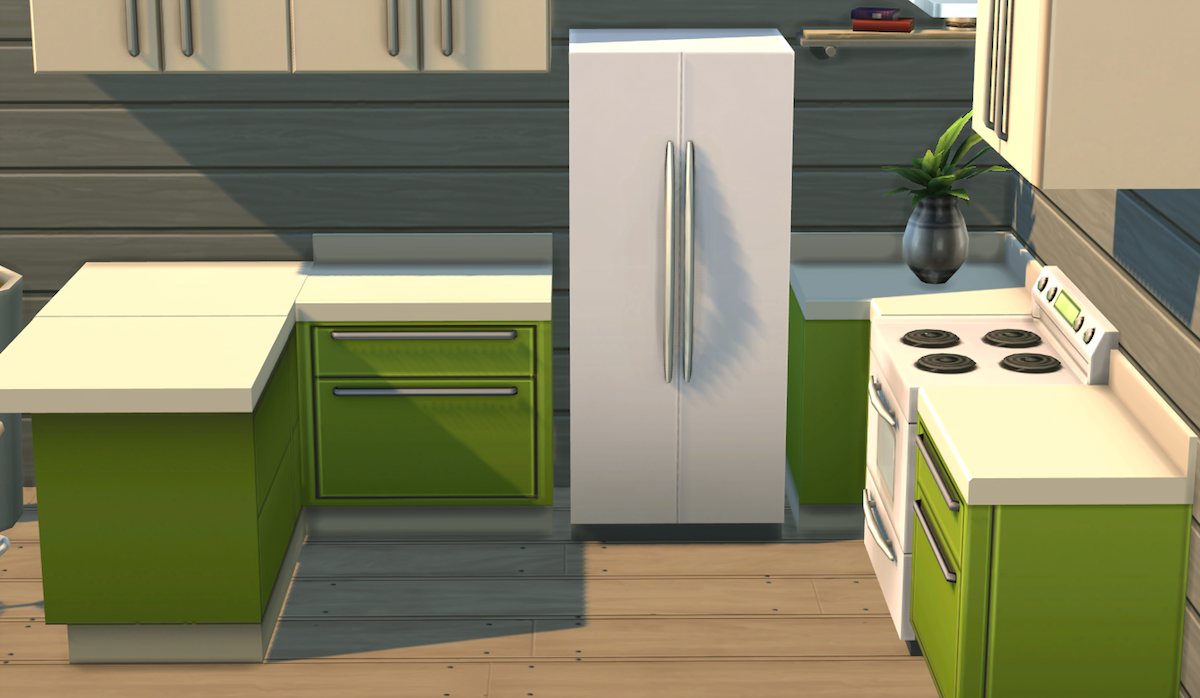
The fridges not snapping to counters really irks me:

TS4Fridge

But the way the counters snap to each other is seamless, especially round open corners. I also like the way the splashbacks only appear when the counters are up against the wall :

It’s quite ironic that a game I have spent the last 5 years complaining about, The Sims 3, is the game I’m going back to isn’t it? A game that always feels like it’s going to kill my Mac any minute and limps along like a lame puppy. But despite all the problems with TS3, which are infinite, the overall gameplay and creative possibilities are great. The Sims 4 just feels empty, like there’s something missing but I can’t precisely pinpoint what it is.