Skip to content

Bluebellflora

  • Home
  • System Requirements
    • Base Game
    • Expansion Packs
      • EP01 – Get To Work
      • EP02 – Get Together
      • EP03 – City Living
      • EP04 – Cats and Dogs
      • EP05 – Seasons
      • EP06 – Get Famous
      • EP07 – Island Living
      • EP08 – Discover University
      • EP09 – Eco Lifestyle
      • EP10 – Snowy Escape
      • EP11 – Cottage Living
    • Game Packs
      • GP01 – Outdoor Retreat
      • GP02 – Spa Day
      • GP03 – Dine Out
      • GP04 – Vampires
      • GP05 – Parenthood
      • GP06 – Jungle Adventure
      • GP07 – StrangerVille
      • GP08 – Realm of Magic
      • GP09 – Journey to Batuu
      • GP10 – Dream Home Decorator
    • Stuff Packs
      • SP01 Luxury Party Stuff
      • SP02 Perfect Patio Stuff
      • SP03 Cool Kitchen Stuff
      • SP04 Spooky Stuff
      • SP05 Movie Hangout Stuff
      • SP06 Romantic Garden Stuff
      • SP07 Kids Room Stuff
      • SP08 Backyard Stuff
      • SP09 Vintage Glamour Stuff
      • SP10 Bowling Night Stuff
      • SP11 Fitness Stuff
      • SP12 Toddler Stuff
      • SP13 Laundry Day Stuff
      • SP14 My First Pet Stuff
      • SP15 Moschino Stuff
      • SP16 Tiny Living Stuff
      • SP17 Nifty Knitting
      • SP18 Paranormal
  • 32-bit
  • The Sims 3
    • Sims 3 Mac bugs
    • Sims 3 64-bit update
    • Error Fixes
      • Sims 3 issue connecting to server – Workaround
      • Sims 3 – How to bypass the Launcher on a Mac
      • Sims 3 Packs not showing as installed – workaround
      • Fix for incompatible graphics for The Sims 3 on Mac
      • Unknown Error message – Sims 3 base game only
      • Unknown Error message – Sims 3 with installed EPs and SPs
      • Cannot start the process when the game is running – Sims 3 error on Mac
      • Disc Authorization Failure
      • Resetting RAM (also known as purging RAM)
      • Sims 3 Expansion Packs not installing through Origin
    • Helpful Guides
      • How to play The Sims 3 on a Mac
      • The Sims 3 – How to do a clean uninstall and reinstall on a Mac
      • Manually uninstalling an Expansion or Stuff Pack in the Sims 3 for Mac
      • No install option in Origin for Sims 3 for Mac
      • Sims 3 and Sims 4 not loading save games
      • Installing Sims 3 Store content on a Mac
      • Checking which patch version you’re running
      • Finding your Serial Key using Terminal
      • Sims 3 manual super patch for Mac 1.67
  • The Sims 4
    • The Sims 4 – Minimum and Recommended System Requirements for Mac
    • Sims 4 Mac bugs
    • Red and white sims, missing content, llamas, incomplete data
    • Helpful Guides
      • Using Terminal to locate your Sims 4 files and folders
      • How to install The Sims 4 on a Mac
      • How to uninstall The Sims 4 on a Mac
      • Repairing Sims 4 packs in Origin
      • Tips for playing The Sims 4 on a Mac
      • Sims 3 and Sims 4 not loading save games
      • Sims 4 not loading CC or Mods – storage issues
      • Sims 4 CC and Mods not showing up in-game
      • Sims 4 cheat console not opening
      • Automatically deleting Sims 4 Gallery cache files
      • Editing the Sims 4 minimum camera position in Live Camera Mode
    • Storing data externally
      • Choosing an external hard drive for your game
      • Options to store data externally
      • Running your Sims 4 folder from an external drive
      • Syncing Sims 4 saves using the cloud and playing on multiple computers
    • Sims 4 bouncing in Dock but not opening
  • Origin/EA App
    • EA App Recovery for Mac – reset EA App by clearing cache and other files manually
    • Registering a product code in Origin
    • How to uninstall or reset Origin on a Mac
    • Disable Origin in-game
    • DiP_STAGED error when trying to update The Sims 4
    • The Sims 4 & Origin – How to disable automatic updates and startup on a Mac
    • No install option in Origin for Sims 3 for Mac
    • Sims 3 Expansion Packs not installing through Origin
  • Graphics
    • “Unrecognized Video Card” error on Mac
    • What is the ConfigOverride folder? Editing Sims 4 graphics files the easy way
      • Sims 4 – How to add your GPU to the GraphicsCards.sgr file
      • Changing your sim’s plumbob colour
    • Sims 3 Mac players – I need your help!
    • The Sims 4 – Graphics comparisons and settings
      • The Sims 4 – Grey/opaque windows
      • The Sims 4 – Intel HD 4000 issues
    • Manually update NVIDIA GeForce graphics drivers in macOS
    • Finding out which NVIDIA GeForce driver version your Mac is running
  • CC, Mods, Lots
    • CC/Mods
      • itsaprilXD’s How to install Mods on a Mac Guide – The Sims 3
      • itsaprilXD’s How to install Mods on a Mac Guide – The Sim 4
      • Creating Sims 4 CC on a Mac
      • Using Automator to remove characters from Sims 4 CC filenames on a Mac
      • itsaprilXD’s How to install Mods on a Mac Guide – The Sims 4
      • CC and Mods not showing up in game
      • Extracting Sims 4 CC Zip files for Mac, including 7z and RAR files
      • Using Automator to remove characters from Sims 4 CC filenames on a Mac
      • Sims 4 Tray Importer for Mac
    • Sims 4 Custom Content WCIF
      • Entrance WCIF
      • Kitchen to Bedroom WCIF
      • Small Office WCIF
      • Breakfast in Bed WCIF
      • 3×4 Warm Wooden Bathroom WCIF
      • 4×5 Warm Wooden Kitchen WCIF
      • 4×4 Simple Bedroom WCIF
      • Serenity Guest Bedroom WCIF
      • Serenity Guest Bathroom WCIF
      • Kitchen Dining WCIF
      • Al Fresco Sleeping WCIF
      • Grey and White Bedroom WCIF
      • Minimal Hallway WCIF
    • CC free Lots & Worlds
      • Eternal Island
      • Hidden Spring
      • Rosehip
      • Georgian Townhouses
      • CraZen Micro Idyll
      • Naval Nots
      • Glasshouse Studio Starter
      • Archipelago Bay now available for upload.
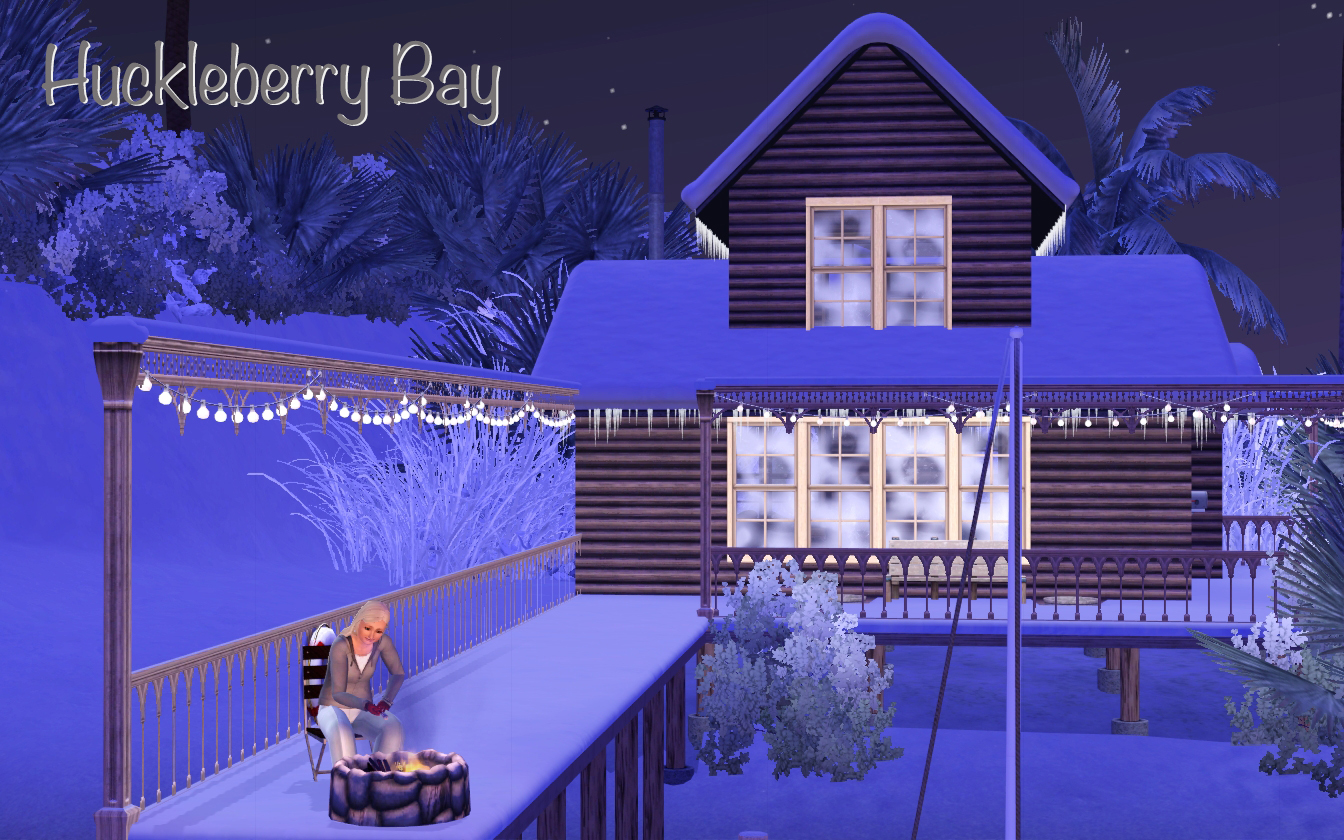
      • Huckleberry Bay
      • BlueBay Retreat
      • Archipelago Bay
      • Peculiar Place
    • My CC Recolours
      • Cottage Living White Wisteria Recolour
      • Tamamaro Sims 4 Plant Light Recolour
      • Placemat recolours
      • Rugs – Set 3
      • Botanical Floor Pictures
      • Sims 4 Cats and Dogs Food Bowl Recolour
      • Rugs – Set 1
      • Rugs – Set 2
      • Kitchen Backsplash Recolours – Part 2, MINC’s C-Series and S-Series Kitchens
      • Kitchen Backsplash Recolours – Part 1, Peacemaker IC’s Shaker Kitchen
      • Sims 4 Green Plants Pictures, CC Recolours
      • Sims 4 Horticultural Pictures, CC Recolours
      • Marble table top recolour
      • Dispensing Pump recolour
      • Leaning Pictures
      • Blanket & Pillows
      • Cushions
      • Simple recolour of Around The Sims 4 Build your Clutter pot

Images

Almost Finished

Published on November 4, 2014 by BluebellFlora4 Comments

Boat House

Share this:

  • Share on Facebook (Opens in new window) Facebook
  • Share on X (Opens in new window) X
  • Share on Tumblr (Opens in new window) Tumblr
  • Share on Reddit (Opens in new window) Reddit
  • Share on Pinterest (Opens in new window) Pinterest
  • Share on Pocket (Opens in new window) Pocket
Like Loading...
Image•Categories Sims 3 Worlds, The Sims 3 on a Mac•Tags Sims 3 on a Mac, The Sims 3 Worlds

Coming soon to an Exchange near you…

Published on January 4, 2014 by BluebellFlora2 Comments

details page 2

Share this:

  • Share on Facebook (Opens in new window) Facebook
  • Share on X (Opens in new window) X
  • Share on Tumblr (Opens in new window) Tumblr
  • Share on Reddit (Opens in new window) Reddit
  • Share on Pinterest (Opens in new window) Pinterest
  • Share on Pocket (Opens in new window) Pocket
Like Loading...
Image•Categories Hidden Springs, Residential Lots•Tags Residential Lots

This made me chuckle

Published on April 1, 2013 by BluebellFlora3 Comments

EA

Share this:

  • Share on Facebook (Opens in new window) Facebook
  • Share on X (Opens in new window) X
  • Share on Tumblr (Opens in new window) Tumblr
  • Share on Reddit (Opens in new window) Reddit
  • Share on Pinterest (Opens in new window) Pinterest
  • Share on Pocket (Opens in new window) Pocket
Like Loading...
Image•Categories EA, The Sims 3•Tags Sims 3 on a Mac

Translate

Tech. tutorial: creating a symlink to store the Sims 4 folder on an external drive
Build/Buy tutorial: how to make a heart shaped pool
Build/Buy tutorial: how to enable the bb.showliveeditobjects cheat to show hidden world items
Tech. tutorial: editing the VideoCamera.ini file
Tech. tutorial: how to access the user Library folder in macOS
Build/Buy tutorial: making functional stairs using platforms
  • Running your Sims 4 folder from an external drive
    Running your Sims 4 folder from an external drive
  • itsaprilXD's How to install Mods on a Mac Guide - The Sims 4
    itsaprilXD's How to install Mods on a Mac Guide - The Sims 4
  • The Sims 3 - How to do a clean uninstall and reinstall on a Mac
    The Sims 3 - How to do a clean uninstall and reinstall on a Mac
  • Sims 3 manual super patch for Mac 1.67
    Sims 3 manual super patch for Mac 1.67
  • The Sims 4 Plants and Planters
    The Sims 4 Plants and Planters
  • Kitchen Backsplash Recolours - Part 2, MINC's C-Series and S-Series Kitchens
    Kitchen Backsplash Recolours - Part 2, MINC's C-Series and S-Series Kitchens
  • Sims 3 Mac players - I need your help!
    Sims 3 Mac players - I need your help!
  • The Sims 1 is back! But only on Windows. Here's how to play it on a Mac
    The Sims 1 is back! But only on Windows. Here's how to play it on a Mac
  • itsaprilXD's How to install Mods on a Mac Guide - The Sims 3
    itsaprilXD's How to install Mods on a Mac Guide - The Sims 3
  • Choosing an external hard drive for your game
    Choosing an external hard drive for your game
  • View bluebellflora’s profile on Facebook
  • View BluebellFlora1’s profile on Twitter
  • View bluebellflora’s profile on Pinterest
  • View UCiLqtO2KKBkxZrHbicFRv5Q’s profile on YouTube
  • View user20570143’s profile on Vimeo
  • View bluebellflora’s profile on Google+
  • View bluebellflora’s profile on Tumblr
Follow Bluebellflora on WordPress.com
Blog at WordPress.com.
Privacy & Cookies: This site uses cookies. By continuing to use this website, you agree to their use.
To find out more, including how to control cookies, see here: Cookie Policy
  • Subscribe Subscribed
    • Bluebellflora
    • Join 370 other subscribers
    • Already have a WordPress.com account? Log in now.
    • Bluebellflora
    • Subscribe Subscribed
    • Sign up
    • Log in
    • Report this content
    • View site in Reader
    • Manage subscriptions
    • Collapse this bar
 

Loading Comments...
 

    %d