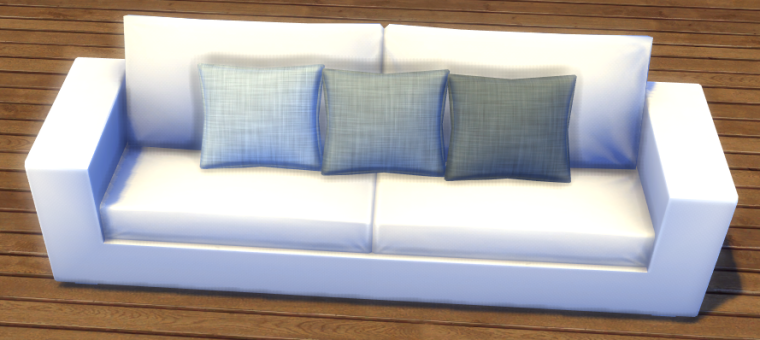
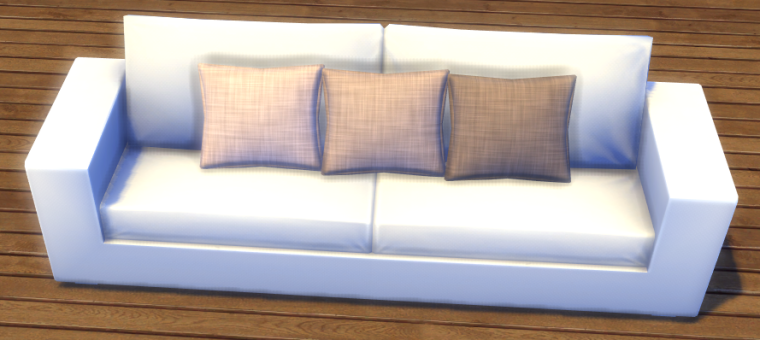
Simple recolour of Around The Sims 4 Build your Clutter pot

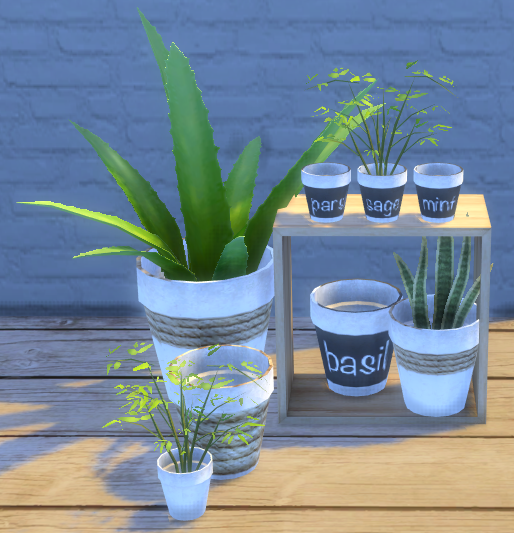
I like neutral colours so decided to do a few recolours of ATS4’s lovely DIY pot. You choose the pot then decide which plant (included in the mesh download) you’d like to add to it, it’s perfect!

7 swatches in total:

  • White
  • White with small rope detail
  • White with large rope detail
  • Basil
  • Parsley
  • Mint
  • Sage

You’ll need the original mesh from Around The Sims 4 for my recolours to work. The pot is the smallest size, I made the larger sizes in game using ]. Links below:
Original mesh from Around The Sims 4 – Download Link

My recolours – SimFileShare (no adfly)

ArtVitalex Bedding recolours

One of my favourite bedding CC but I wanted some more simple colours and textures. Five swatches for the blanket with matching pillows, or you can mix and match them. You’ll need ArtVitalex’s original mesh which you can download from The Sims Resource:

– ArtVitalex original mesh – TSR

My recolour downloads (no adfly) – SimFileShare

My first Sims 4 CC downloadable recolour

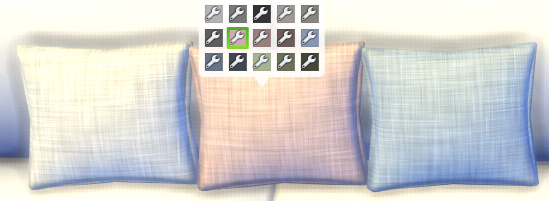
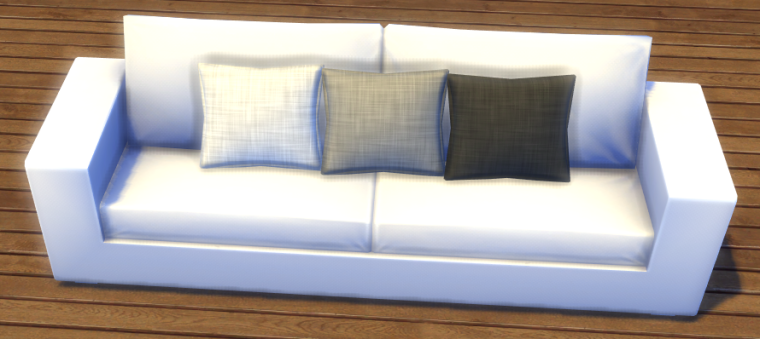
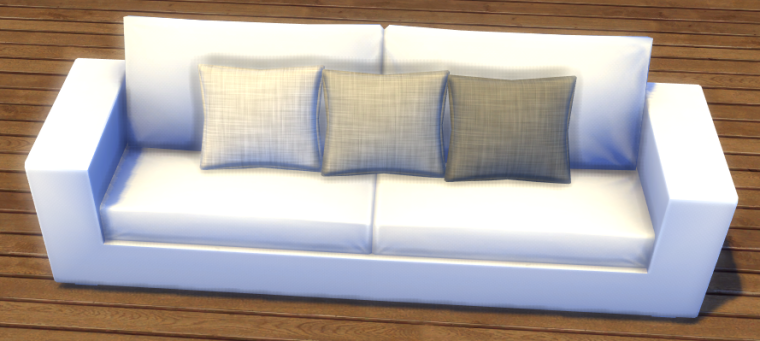
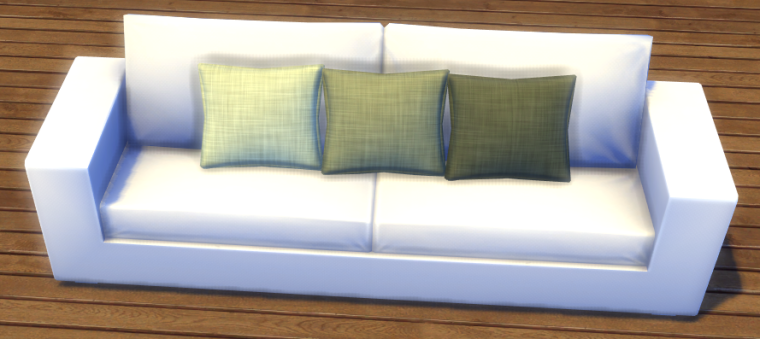
I’ve created my very first recolour of a cushion and I am SO proud of myself. It’s taken 17 years of playing the Sims to finally try recolouring and I’ve done it 🙂

I used dreamteamsims’ conversion of MangoSims’ cushion because I love the shape of it so for these to show up in your game you must download the mesh from here.

There are five different colours with three shades for each, totalling 15 swatches – greys, taupes, greens, blues and pinks.

Download them here (no adfly, just straight to the download link):

SimFileShare

Larger version: (Dreamteamsims mesh needed here)

SimFileShare

And if you need help installing CC in your game and you’re on a Mac then you need to read ItsaprilXD’s guide here, it tells you everything you need to know.