

Mac ‘Initialization error at start up’ since patch 1.24

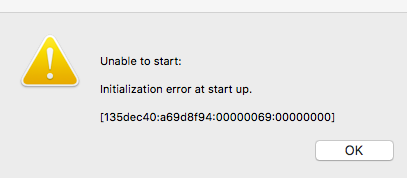
Patch 1.24.102.1220 has been released but lots of Mac users are reporting that their games will not load. They are getting the following error message –
initializationerror

Initialization error at start up.

[135dec40:a69d8f94:00000069:00000000]

The numbers in bold uniquely identify this issue. EA are aware of it and hopefully addressing it. In the meantime the workaround is to simply press any key to skip through the intro videos. There are main threads for this over at AHQ and the officials:

http://forums.thesims.com/en_US/discussion/903122/crashing-after-latest-patch-fixed

http://answers.ea.com/t5/The-Sims-Mac/Mac-Initialization-error-at-startup-135dec40-a69d8f94-00000000/m-p/5657517#U5657517

Edit – that was quick! EA have already released an update to fix the issue (28/10/16) 😀
New Sims 4 build – The Green House

green-house-cover

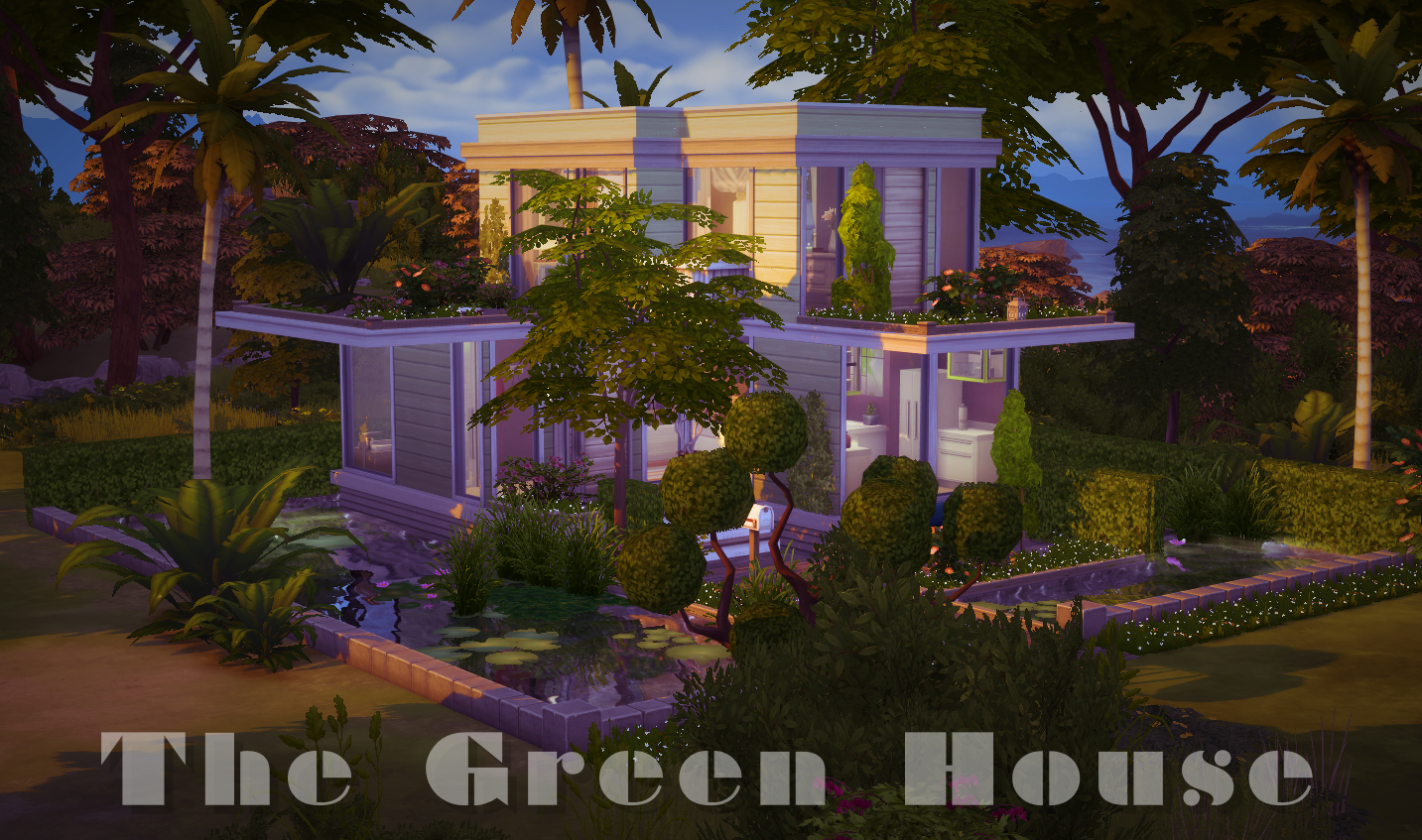
A lovely little house set amongst lush planting, on all levels, and surrounded by water. As always no CC, fully play tested, and I didn’t even use MOO for this build so no problem when placing it.

Gallery download Link – https://www.thesims.com/en_GB/gallery/161C7DEB786111E6819CDAF5836096B7

Tray files (if you don’t use the Gallery) – http://simfileshare.net/download/331475/

Delete all the bloated Gallery cache files in Sims 4 instantly

You know all those annoying little thumbnail images that clog up your caches folder and really don’t do very much? They’re automatically downloaded every time you browse the Gallery. You can trash them all manually without any harm to your game or you can tell your Mac to automatically delete them as soon as they appear, like this:

Handy huh? I’ve written a guide on how to set this up on your Mac here. Why spend time doing it yourself when your Mac can happily do it all for you?

Enjoy!