

Patch 1.24.102.1220 has been released but lots of Mac users are reporting that their games will not load. They are getting the following error message –
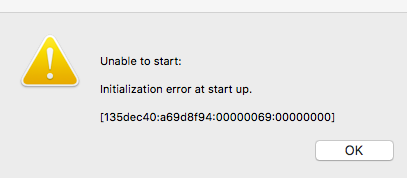
Initialization error at start up.
[135dec40:a69d8f94:00000069:00000000]
The numbers in bold uniquely identify this issue. EA are aware of it and hopefully addressing it. In the meantime the workaround is to simply press any key to skip through the intro videos. There are main threads for this over at AHQ and the officials:
http://forums.thesims.com/en_US/discussion/903122/crashing-after-latest-patch-fixed
Edit – that was quick! EA have already released an update to fix the issue (28/10/16) 😀
 Bluebellflora