Disabling Origin in-game is the way forward

EA_Tom over at Answers HQ has posted that Origin in-game will no longer function in Mojave. This is due to the increased functionality in the macOS System Integrity Protection.  Tom’s post is here and you should definitely go and read it – https://answers.ea.com/t5/The-Sims-Mac/Origin-In-Game-and-the-macOS-Mojave-Update/m-p/7053780#M14299

There are detailed instructions in the post on how to bypass System Integrity Protection in order to get Origin in-game to work. If you decide to do this you MUST re-enable it again immediately after closing Origin. This OS feature is an integral part of your Mac security. Disabling and re-enabling it requires restarting your Mac.

For the record, I won’t be doing this and will simply have Origin in-game disabled (as I do now). My suggestion would be not to do it either as it can seriously compromise the security of your Mac. Google disabling System Integrity Protection if you want more opinion.

Origin Access and Origin access Premier for Mac

Just a quick reminder because EA have recently launched Origin Access Premier – as of today, 1st August 2018, neither Origin Access nor Origin Access Premier are available for macOS.

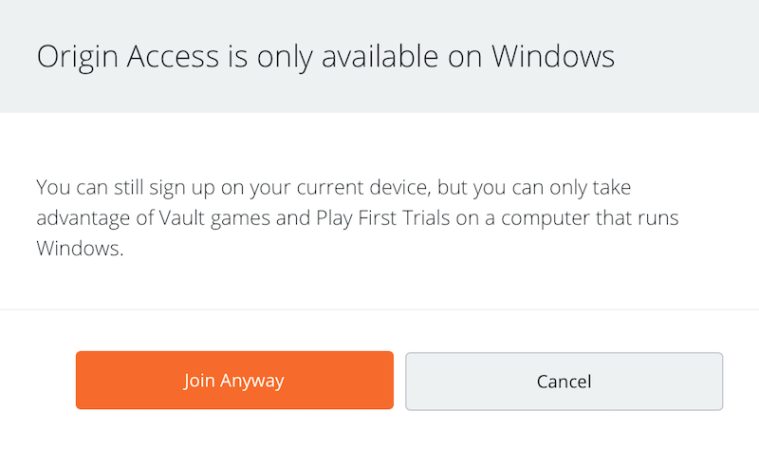
You will need to Boot Camp your Mac and run Windows if you would like to take full advantage of these services. You will get a warning window if you try to purchase Origin Access on a Mac:

So if you don’t want to be charged, don’t click on the Join Anyway button!

Origin Error Reporting now available for Mac

Finally! After two false starts with the previous patches and promises of Origin Error Reporting (OER) finally coming to Mac, it’s here!

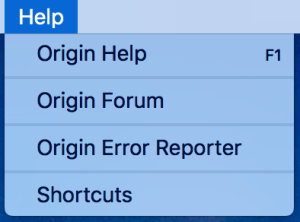
With the latest update, 10.5.12, you can now find the OER tool under the Help dropdown when you have Origin open:

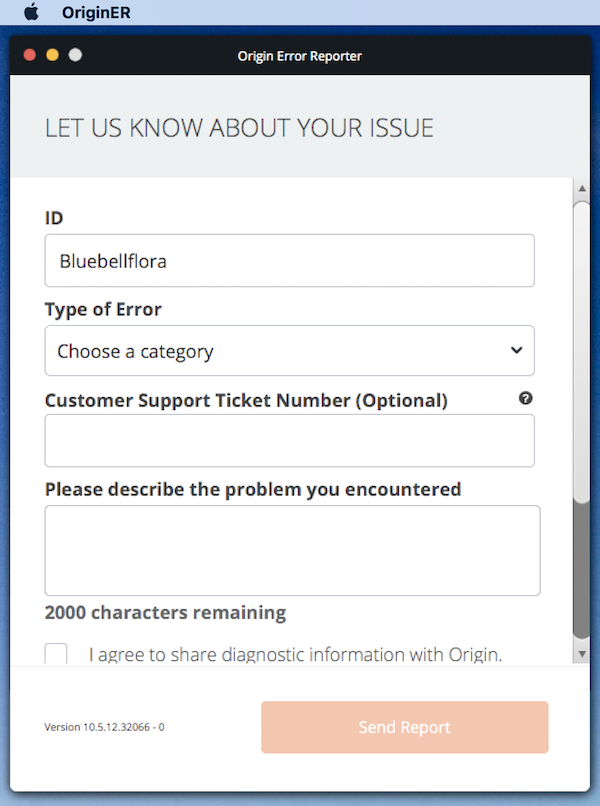
Simply click on it and fill in the details required in the pop up window:

For more information on OER including what it does, when to use it and how it helps EA, read the OER page here.

If Origin is not opening for you at all, you can still use OER to send diagnostic information to EA:

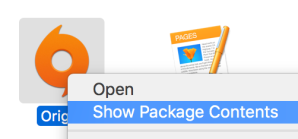
  1. Right click on the Origin app in your Applications folder and select Show Package Contents.
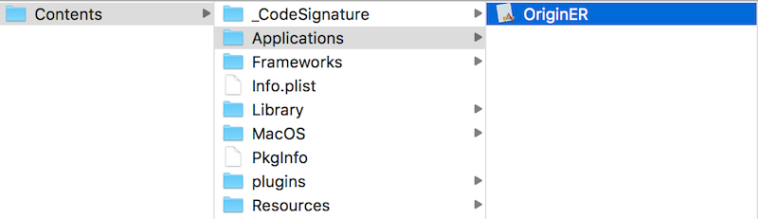
  2. In the Finder window navigate through to Contents > Applications.
  3. There should be a file in the folder called OriginER. Double click on it and the OER will open.