Another issue that’s cropped up for Mac users. When trying to download and install University Life they are being notified that the EP has not yet been released. This seems to be related to specific product codes when purchased through Origin.
If you are experiencing this please contactEA customer support to request a replacement code or wait for EA to hopefully release a fix through Origin.
Edit – Origin is now working since the release of El Capitan Public Beta 5.
… And you know why? Because as of today, the 3rd August 2015, El Capitan is still in beta. This means that you are participating in the beta program at your own risk as the operating system is not fully stable yet. That’s why it’s called beta. No 3rd party apps are officially supported in El Capitan because the final release is not available yet. So if you encounter a bug in any Apps that are not Apple’s, tough. However if you do encounter a bug in the operating system and Apple’s Apps, be a dear and report them via the Feedback Assistant.
So if you only have one Mac, and you are not particularly clued up on how beta programs work, I have one question for you – why the fuck on earth did you enrol in the beta program in the first place? Because you wanted to be one of the first to have El Capitan on your Mac? Well more fool you.
Lunder89 over on the official Sims forum has posted this super video showing detailed and easy to follow instructions on how to get Origin to work properly in El Capitan:
It involves Terminal, installing Xcode and downloading and installing Homebrew. Good luck.
This is still catching so many out but it really is very simple – if you have Mods in your game then you MUST move them out of your Sims 4 folder before updating/patching your game. You must, you have to, it’s the law.
If you don’t move your mods out your game may become unplayable. To make sure you are never caught out by automatic updates, turn them off. Here are the simple steps to ensuring a (hopefully) happy game after updating with Mods:
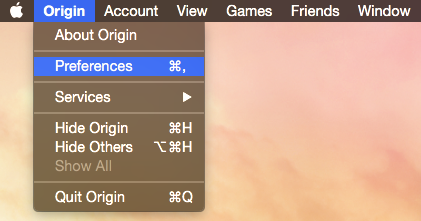
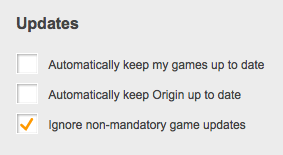
Make sure automatic updates are turned off for your game. Open Origin then go to Preferences: Make sure you’re in the General tab and scroll down to Updates. Automatically keep my games up to date and Automatically keep Origin up to date should both be unticked. For good measure, make sure Ignore non-mandatory game updates is ticked:
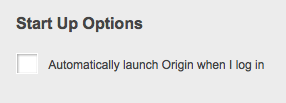
Make sure Origin is not automatically loading when you start up/login to your Mac. Automatically launch Origin when I log in should be unticked:
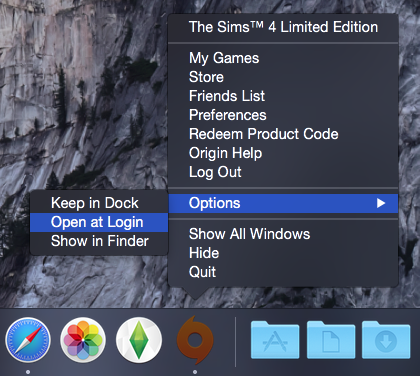
To verify that Origin shouldn’t be loading at startup/login you can double check whilst it’s open. Right click on the Origin icon in your Dock, go to Options and make sure Open at Login is unticked:
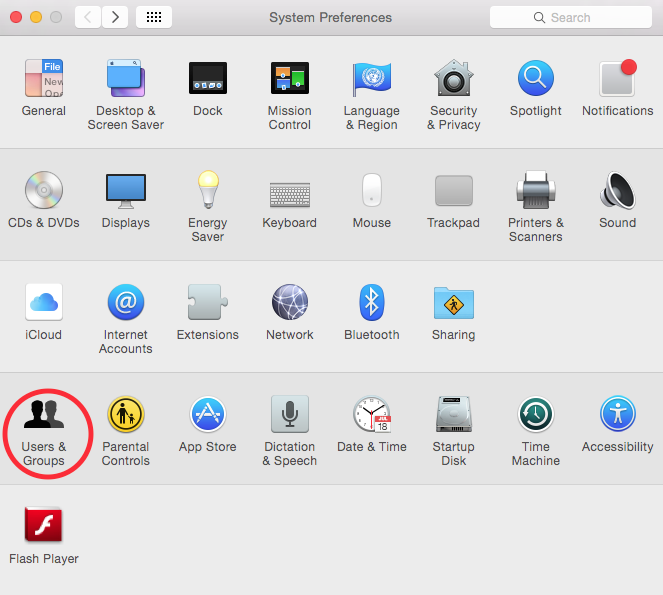
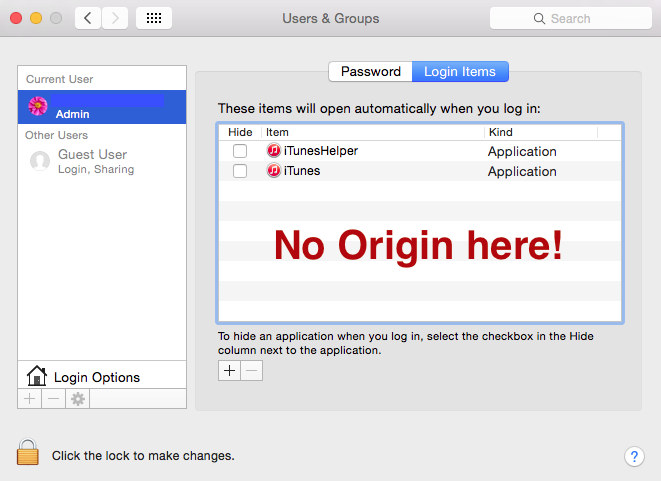
And finally, to triply make sure Origin shouldn’t be loading at startup/login, check your user account preferences. Open System Preferences then click on Users & Groups:Make sure your user account is selected then click on Login Items in the right hand pane. Origin should not show up there at all: If Origin is showing there simply click on it and then click on the minus (-) symbol under the window. That will remove it.
That’s it. Your game should never update automatically now. You will be prompted to update when you open Origin and when you launch the game. So remember, if you have Mods –

 Bluebellflora
