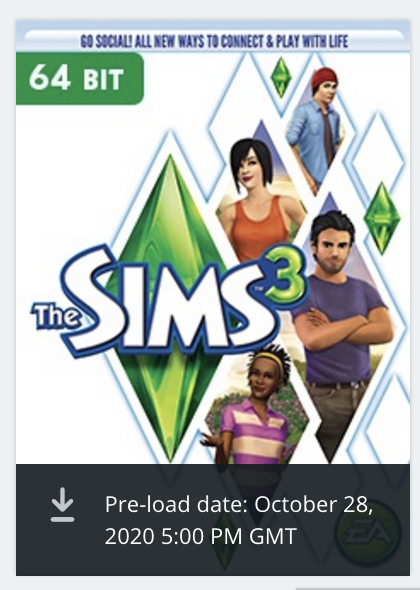
Such a flurry of excitement since a second copy of Sims 3 started appearing in user’s Origin games libraries on the 20 October! It seems that we now don’t have too much longer to wait. In preparation, and to confirm what we do and don’t know, here are a few pointers:
Will my Mac run the 64-bit version of Sims 3?
- Your Mac must support Metal and be running macOS 10.13 High Sierra. This is most likely because Apple updated to Metal v2 in High Sierra and from issues reported in the Sims 4 Mac forum we know that it improves performance. These Macs support Metal:
- You must also read the system requirements posted by EA_Leeloo here to check processor and video card requirements.
- If you are running 10.11 El Capitan or 10.12. Sierra you can upgrade via the Mac App Store. You can also find the direct download link for High Sierra here.
- If your Mac is a 2011 model or earlier (excluding the Mac Pros mentioned above) this updated version is not for you. Carry on playing the original 32-bit version you have.
How do I install the 64-bit version?
- You should uninstall your current installation of the original game but make sure to back up your saves first. By now I’m sure you’re probably aware this is not an easy task and has to be done manually. Full instructions on how to do this can be found here.
- Once the updated version shows as available for download in Origin simply click and download as normal.
- If you have never registered the game in Origin but have the codes from the disc version you must download and install Origin and redeem the product codes in your account. Instructions here.
EA_Leeloo posted a FAQ here on Answers HQ and MaxisJoe posted his monthly update here. Both are definitely worth a read. They don’t answer all the questions I have such as:
- Will a new Sims 3 folder be created in the Electronic Arts folder or will the newly installed game successfully read the current folder (that you should have backed up before uninstalling the game)?
- Will installing Sims 3 Store content actually properly work now or do we still need to jump through hoops to get it installed into the Launcher?
- Has the 2Gb RAM cap been ripped off now the updated version is 64-bit (in theory yes)?
It’s REALLY important that people understand this updated version of Sims 3 is a compatibility version. It is not a bug fix, it does not add additional features. The game is no longer in development and has not been for years. It is so Apple users running 10.15 Catalina and later versions of macOS can once again play the game.
I’ll post again once it’s been released and I’ve had a chance to play around and check things out. In the meantime, feel free to ask any questions below if you need clarification on any of the above points 🙂




 Bluebellflora