First Person View Bug with Retina Display enabled

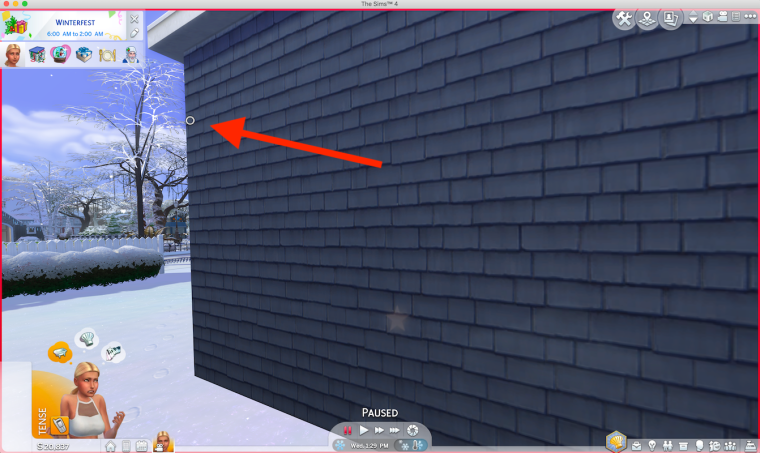
A new bug since the April ’19 patch, this time affecting First Person View (FPV). Users reported the little white circle not being centred properly on their game screen:

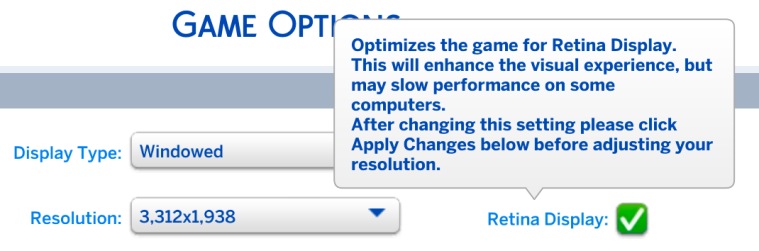
After testing various options, it seems that having Retina Display enabled in the Game Options causes this bug:

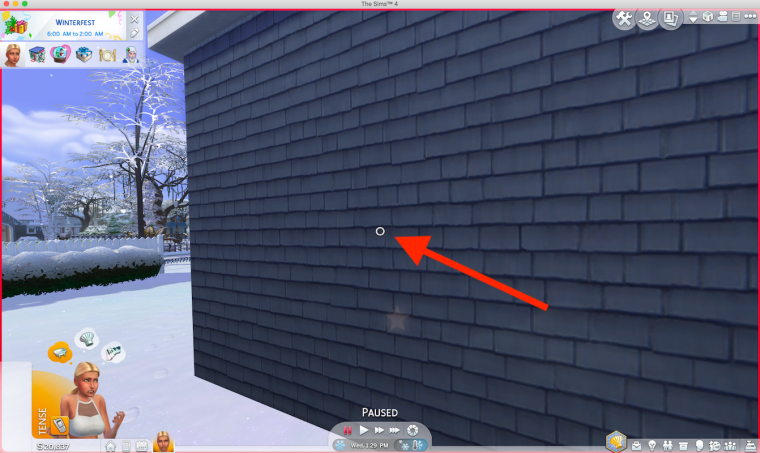
Uncheck the Retina Display option and the FPV marker will be back in the centre of your game screen:

Pixelated UI and greyed out menus in Sims 4

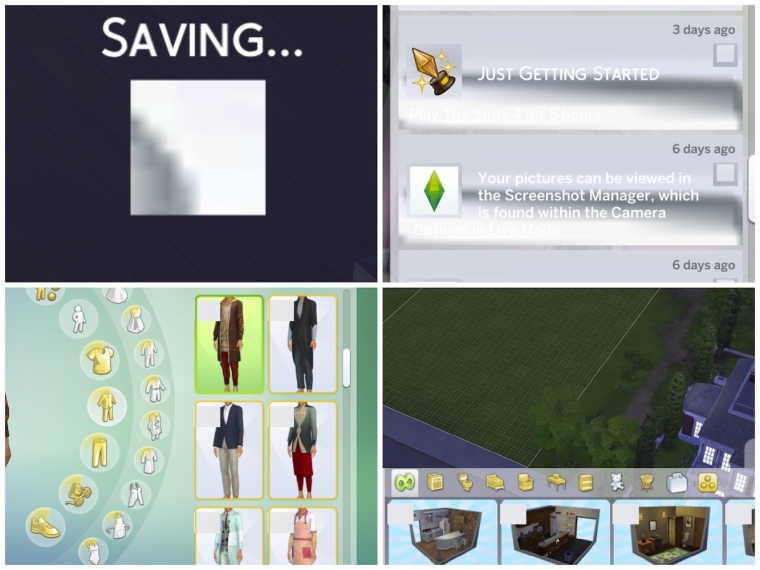
Since the April ’19 patch some Mac users have reported pixelated, blank and greyed out menu items, notification walls and other UI issues. Normally this would be related to an out of date UI mod but not all users have CC/Mods so it is possible this could be a new Mac bug.

(thanks to KattSimms, alexkostova1 and Ninjaaaahh for uploading the pictures)

If you are experiencing this, and can completely discount CC/Mods for causing the issue, please post in this thread over at Answers HQ – https://answers.ea.com/t5/The-Sims-Mac/POSSIBLE-BUG-UI-glitches-and-greyed-out-menus-after-April-patch/m-p/7819322#U7819322

Edit 18/06/19 – Cheezyeen and verfens have confirmed in the thread that allowing the game to run through the loading screens (Maxis/EA/Sims4 intros) and NOT clicking them to load the game more quickly stops this issue from happening.

Sims 4 hot fix patch – fixing the Lion issue, bringing back the incompatibility error

EA have released a hot fix patch to correct various issues created by the patch last Tuesday 16 April. One of the fixes is specifically for Mac users running 10.7.5 Lion:

Fixed an issue where Mac players on certain older versions of OS X were unable to launch the game. As a result, we rolled back a fix that was done for Mac players on 64-bit systems that eliminated a false error message which said, “The Sims 4” is not optimized for your Mac and needs to be updated.

The rolled back fix they are referring to is this one. Unfortunately we will start getting the error message again when launching the game after an OS update, or subsequent patch if they don’t fix it again in the next one. But I shouldn’t imagine this is anything to worry about, more an inconvenience than anything. It really is in EA’s interests to fix this error, otherwise the game will not load on the next version of macOS after Mojave.