EA App finally coming to Mac

How disappointing although of course inevitable. Today EA announced that the EA App will be arriving on macOS soon. In what must have been a fun news item to write, given that barely any of it is actually true, EA proudly stated “…it’s the best place for you to experience EA’s incredible games, services and content.” and “…you can ensure that your games are ready to play when you are”. You can read all about how unstable and buggy EA App is for Windows users over on the EA App bug forum here. Yes I know Origin isn’t much better but since the launch of EA App we’ve had it considerably better than Windows users (apart from the September 2023 patch).

A small flavour of what we most probably have to look forward to:

Horse Ranch Pack will not install

Individual Pack download issues

Kit showing as unowned after purchase

Horse Ranch Pack installed but not present in game

Hopefully these issues, which seem to pop up frequently in EA App, are also down to the hell-hole that is Windows and maybe our lovely macOS will run the app a whole lot smoother. But I really don’t hold out much hope….. If you want to read further, EA_Kent (don’t shoot the messenger) posted some further details over at Answers HQ in this general info and FAQ post.
Origin Installs and Saves location fixed for external drives

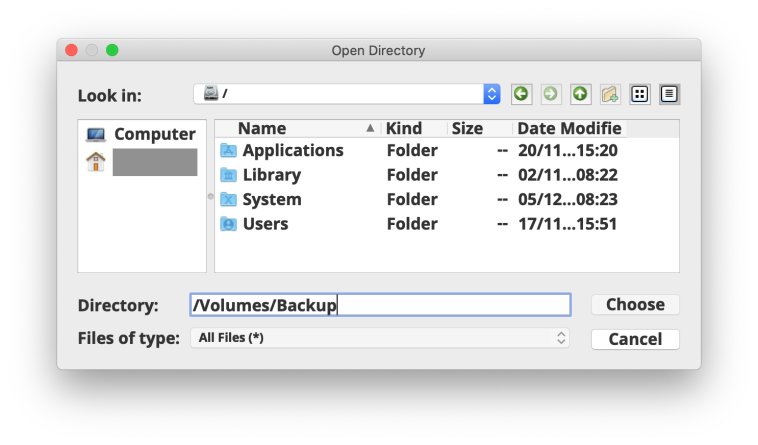
When did this happen? It must have been over the last few weeks as it hasn’t been that long since I played around with changing game library location to an external drive for some random testing purpose. For the last few years changing the game library location in Origin to an external drive has been a painful experience thanks to Volumes not properly showing in the chooser window:

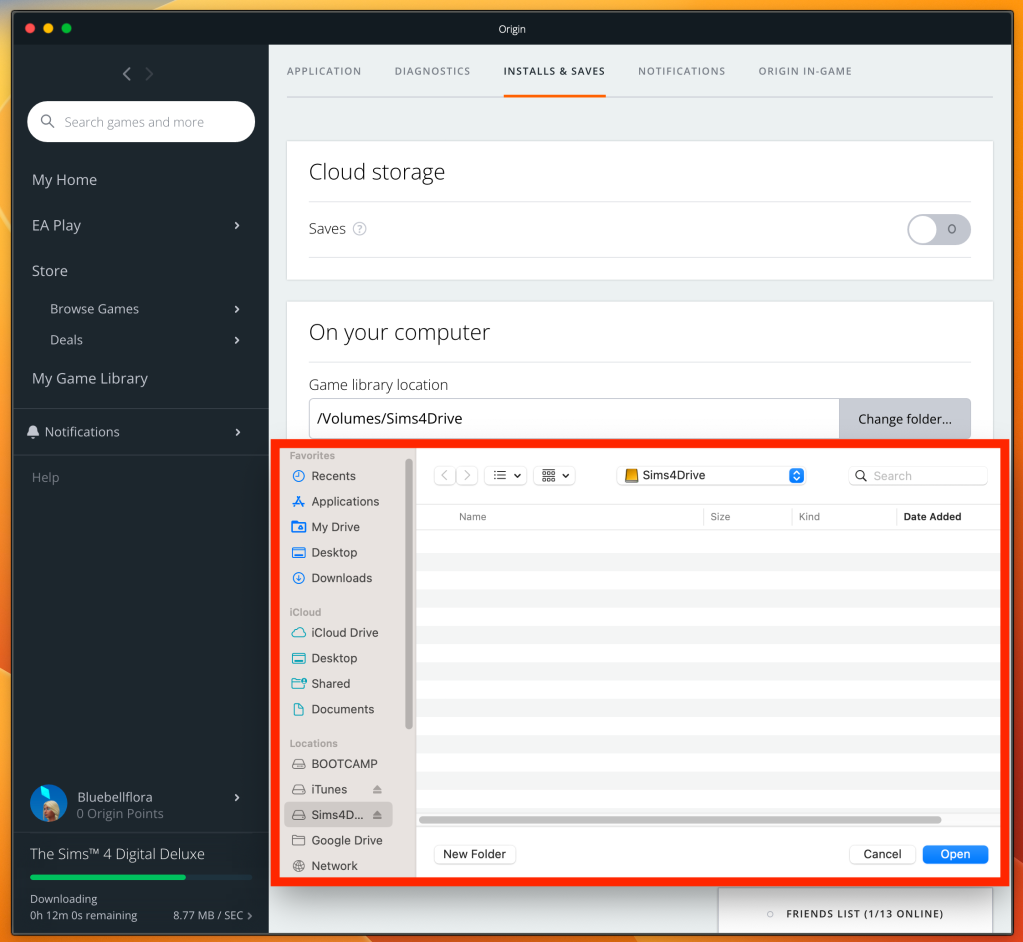
Now it looks like a proper macOS window and no need to jump through hoops to get the external drive to show up:

(If you’re not sure what I’m referring to, have a look at this guide from November 2020)

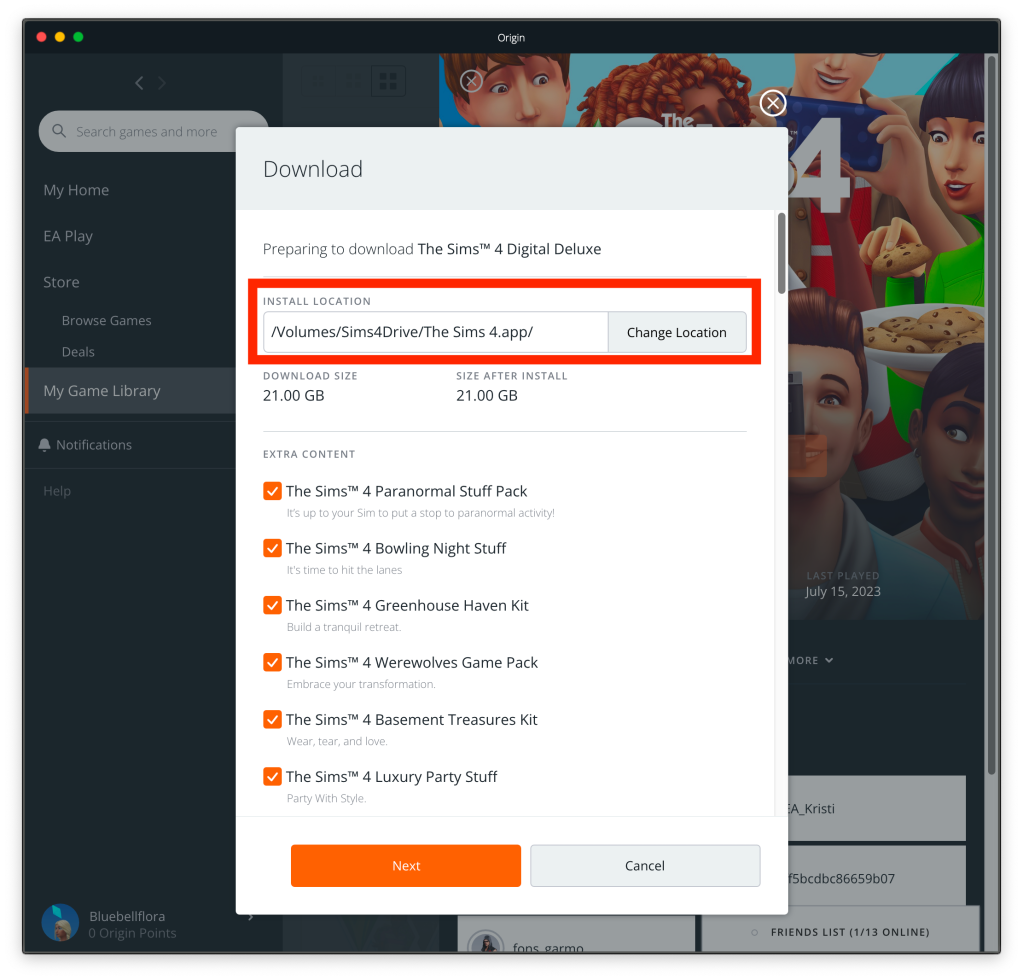
I don’t remember seeing the option to change Install location once clicking on Download and choosing which Packs to install, is that new or maybe I’m just too weary when it comes to Origin:

This is a great fix and a long time coming 🙂

Internal hard drive full, installing Sims 4 game and data on an external drive

This is a quick reminder post about storing your Sims 4 (and Sims 3) game and saves on an external drive because your Mac internal disk is full. There are two steps to doing this.

Step 1 – Installed game:

Change the game library location in Origin to the external drive and then either redownload the game onto the external drive and delete it from your Mac (preferable) or move the installed game and Sims 4 Packs folder from the internal drive to the external.

Step 2 – The user data Sims 4 folder:

The folder containing your saves, mods, library, game settings, and all other user generated data. This requires using the command line in Terminal. Full guide on how to do this can be found here.