

Sims 4 crashes or freezes when trying to access the Gallery or Library – workaround


This article is no longer relevant as the specific file is not in the game files


This issue has been prevalent since the August 2019 patch. We have a thread running on it over at Answers HQ here. When the user tries to access the gallery and/or their Library the game will freeze but more often than not, crash.

SimsQARobo has helpfully suggested accessing the Gallery through a web browser but there does seem to be another fix which is working, it involves trashing a game file, EAWebKit.so, which rebuilds itself after a game repair.

Workaround:

  1. Right click on the Sims 4 in your Applications folder and select Show Package Contents
  2. Navigate to Contents > Frameworks
  3. Drag the EAWebKit.so file to the Trash
  4. Open Origin, right click on the game in your Games Library and select Repair Game

The file will be recreated after the repair and you should now be able to access the Gallery and your Library again.
Bad lag in CAS since the June patch for Sims 4

As well as the Trackpad issue appearing since the 18 June patch we have a new lag issue in CAS that is pretty awful and affecting Mac users with Intel chips, judging by the posted specs. of some. You can see a video here of the issue.

Thankfully there are some really helpful Mac Simmers in the thread, candiecoatediv and twin-reverb-sims, who are being really responsive to requests for more information and actively trying suggestions. Twin-reverb-sims has suggested that doing the following has helped to minimise the lag a little:

  • Go into System Preferences > Accessibility > Display and check the box next to Reduce motion.
  • Go into System Preferences > Display and change the resolution towards larger text.

Please reply in the AHQ thread if you are experiencing this issue in CAS since the patch with your Mac information. And if you have any further suggestions which may help others, then definitely please post.

CAS cursor glitch and ActivationUI error fixes for Sims 4

Two important Mac specific fixes have been included in the April patch:

CAS cursor glitch

  • Fixed an issue for Mac users with Intel integrated graphics, where the mouse cursor would not move properly after adjusting the shape of a Sim’s body in Create a Sim.

This annoying issue affected some, but not all, Mac users with Intel only graphics. The cursor would not appear to track properly in CAS:

(video credit – 13Vader)

For more examples and the specific help thread at Answers HQ please go here

Sims 4 not optimised for Mac

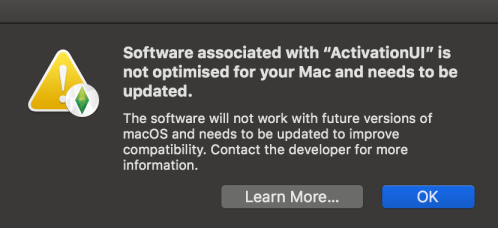
  • Removed an outdated file that was causing a false error message to appear for 64-bit Mac users that said, “The Sims 4” is not optimized for your Mac and needs to be updated.”

The following error message would display when launching the game after an OS or game update:

This error message is not to be confused with the similar message when launching full 32-bit apps in macOS. 32-bit apps like Sims 3, Sims Medieval and SimCity will still cease to function in the next release of macOS. Sims 4 is 64-bit.