I’ve noticed such a significant difference in my game since removing the characters from the CC filenames that I’ve uploaded an Automator Workflow and Application so others can just drag and drop their files to rename them. All instructions and download links are in my article here – https://bluebellflora.com/using-automator-to-remove-characters-from-sims-4-cc-filenames-on-a-mac/

Category: CC
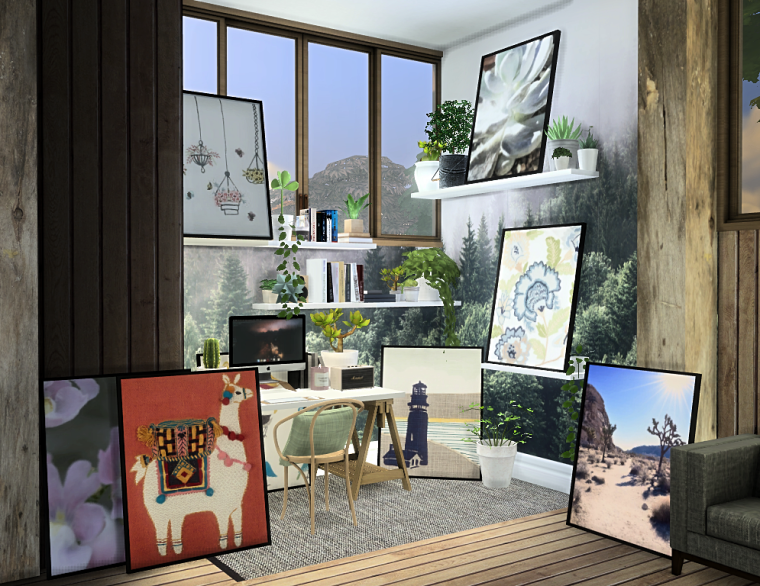
Leaning Picture Recolours
Another recolour, this time of dreamteamsims’ conversion of billyjean’s leaning picture. 8 swatches in total. You need the original mesh in your game. All links after the pictures 🙂
Dreamteamsims original mesh – download
My recolours – SimFileShare (no adfly)
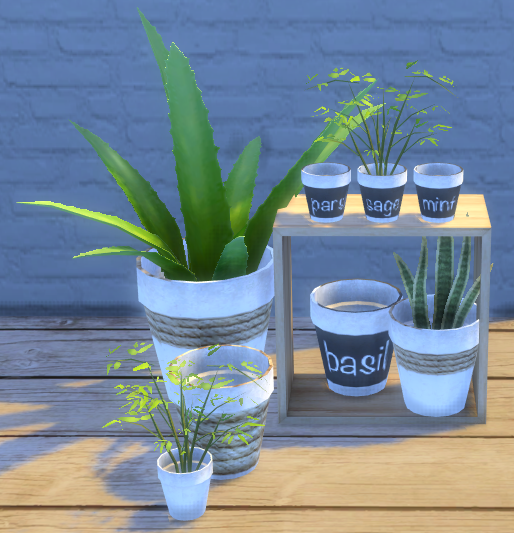
Simple recolour of Around The Sims 4 Build your Clutter pot
I like neutral colours so decided to do a few recolours of ATS4’s lovely DIY pot. You choose the pot then decide which plant (included in the mesh download) you’d like to add to it, it’s perfect!
7 swatches in total:
- White
- White with small rope detail
- White with large rope detail
- Basil
- Parsley
- Mint
- Sage
You’ll need the original mesh from Around The Sims 4 for my recolours to work. The pot is the smallest size, I made the larger sizes in game using ]. Links below: