

Sims 4 Discover University – only available on Metal supported Macs

University is coming, one of the most requested packs in the long line of Sims 4 additional content. Whilst this is great news for some, for those on pre-2012 Macs not capable of supporting Metal it’s not good news. EA have announced the system requirements for the pack to support only Metal supported Macs:

MINIMUM SPECS:
OS: Metal required. Mac OS® X 10.11 (El Capitan)
CPU: Intel Core 2 Duo 2.4GHz Processor or better
RAM: At least 4 GB RAM
HARD DRIVE: At least 15 GB of free space with at least 1 GB additional space for custom content and saved games
VIDEO: NVIDIA GeForce 9600M GT, ATI Radeon HD 2600 Pro or better. Video RAM of 256MB or better
INPUT: Keyboard and Mouse
ONLINE REQUIREMENTS: Internet connection required for product activation.

RECOMMENDED SPECS:
OS: Mac OS® X 10.11 or later
PROCESSOR: Intel Core i5 or better
VIDEO CARD: NVIDIA GTX 650 or better
MEMORY: 8GB RAM
HARD DRIVE: 18 GB of Hard Drive space

Don’t be confused if your Mac meets all the other minimum requirements, even if it is running El Capitan. If it is not one of the machines listed below, it will not run University:

Maybe this means the Legacy Edition of Sims 4 for non-Metal Macs is coming soon……..?
Sims 4 patch for macOS Catalina players 1.56.55.1220

EA have released a small but very important patch today (23 October 2019) for Mac only. This addresses the issues arising through Apple’s security updates in 10.15 Catalina, specifically:

  • Game not having full access to the Documents folder resulting in user data not loading properly
  • Origin error message stating that the game is already running
  • Error Code 0 when trying to save

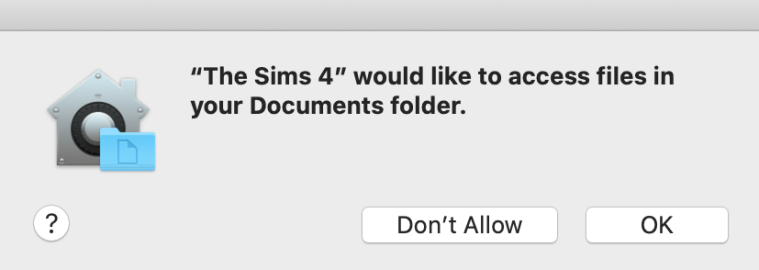
After updating you should be prompted to allow the Sims 4 access to your Documents folder. You MUST grant access for your game to correctly load your data.

Get patching! (But not if you are running Lion).

Sims 4 now works on macOS Catalina – Patch 1.56.52

Update 23/10/19 – EA have today released a patch to fix these Catalina issues – 1.56.55.1220. Make sure your game is up to date.


It’s patch day! And the BEST update is finally a working game in macOS Catalina – rejoice! This isn’t really much of a surprise given the announcement that 10.7 Lion users must not update their game to this patch if they want to carry on playing. It seems that making the game Catalina compatible  breaks it for Lion users, something to do with the ActivationUI file and Lion’s need for it to be in the game files. It’s a shame but Lion is 8 years old now so time to upgrade if you can. If your Mac is stuck at 10.7 Lion then unfortunately it does not meet the minimum hardware requirements for the game as it will be around 10 years old at least.

There are a couple of issues that have cropped up:

Error message – Unable to start: The Sims 4 is already running

  1. Move your Sims 4 folder to the desktop (this resets it back to default settings but all your data is safe in the folder you moved)
  2. Launch the game to the main menu then quit
  3. Open the Sims 4 folder you moved to the desktop then the saves folder. Select all your saves and drag them into the newly created saves folder in Documents > Electronic Arts > The Sims 4
  4. Do the same for the Tray, Mods and Screenshots folders

Game very laggy/game freezing and cursor beach balling  (fixed in Origin patch 11/10/19)

  1. Click on the game in your Games Library in Origin
  2. Click on the little cog under the Play button for Settings
  3. Click on Game Properties and uncheck the box for Enable Origin In Game for The Sims 4

If you are running Lion and have inadvertently updated your game you will need to update it via the Mac App Store. 10.14 Mojave is the current OS level but any version available to you from 10.8 Mountain Lion onwards will work. 10.15 Catalina will be available to all this month as a download from the Mac App Store.