Adfly is nasty, nasty, nasty

Now I’m a CC junkie, I’m having to deal with the inevitable Adfly rubbish that some creators think they’re entitled to. It’s a shame that a lot of creators hide their links behind it. Maybe I should start hiding my help pages behind links too (that will never happen). I’ll click through the links though to get to what I want to download. I’m not stupid and know bullshit malware when I see it. But so many don’t and end up with crap on their computer all because someone thinks they’re entitled to payment for creating some pixels. Yes, a lot of those pixels are very pretty and take a long time to make but let’s be honest, you’re probably creating and uploading because you like the adoration and attention, that’s why you use the Adfly links.

As a Mac user the ads always seem to tell me that my Flash player is out of date and then very helpfully downloads a new version for me (if you get this too NEVER OPEN IT). Today I got a new and exciting advert telling me my Mac was horribly infected and the pop up looked like the print options. Quite clever actually:
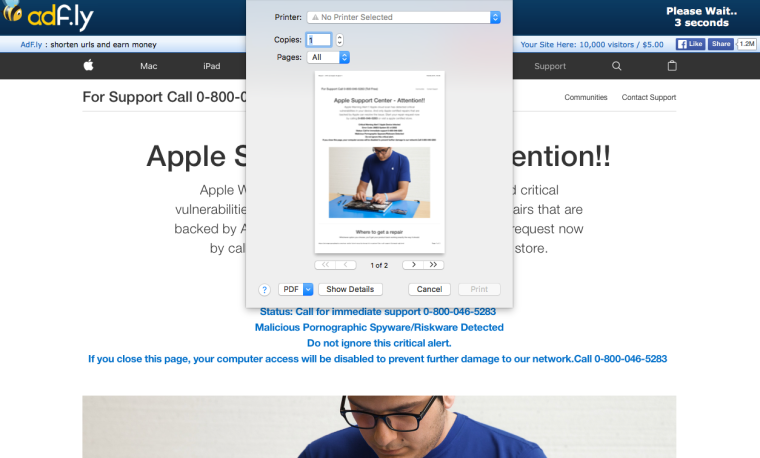
And doesn’t it look like Apple’s site too? It eventually disappeared and I downloaded the CC from the creator’s Mediafire page.

So yeah, a little rant post about greedy CC creators who potentially put other peoples’ computers at risk from infection. And you know what pisses me off even more? Active CC creators who don’t update their content when it breaks due to a patch, or don’t link to a mesh needed, but still have the links up to download from. And then when you message them asking about the item they ignore you but happily respond to their fans gushing over their amazing talents. I swear, I’m going to start naming and shaming soon.
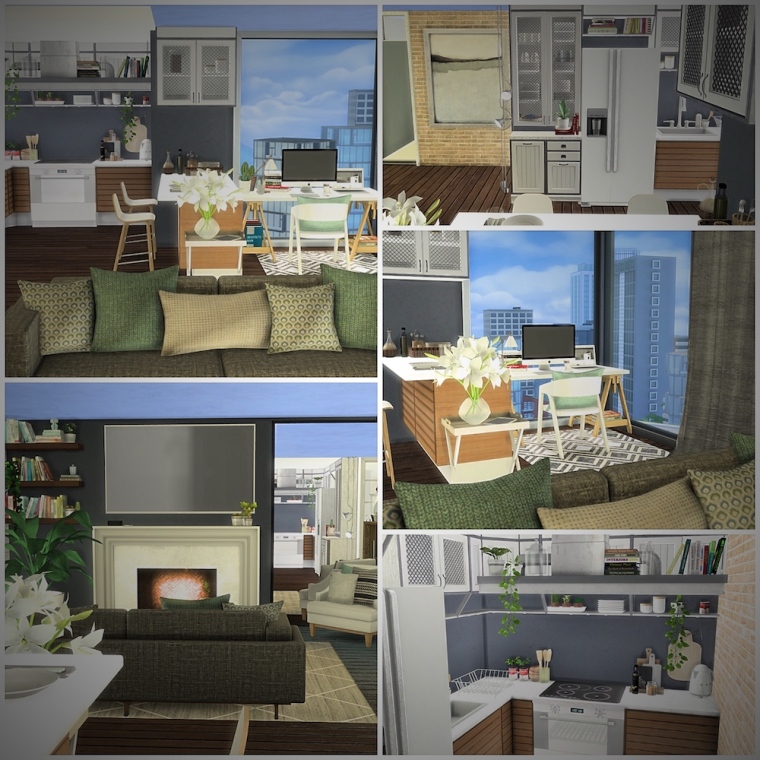
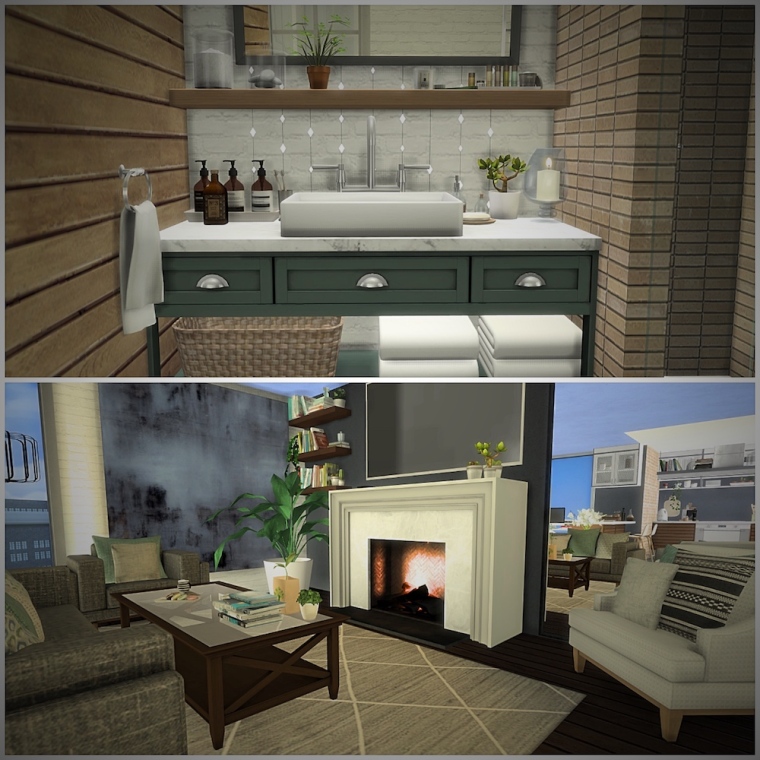
San Myshuno apartment remodel

I decided to redo one of the cheaper San Myshuno apartments. It has great views but a really tiny area – my perfect lot 😀

san-myshuno-apartment

san-myshuno-apartment-2

san-myshuno-apartment-3

Sims 3 and Sims 4 not loading save games

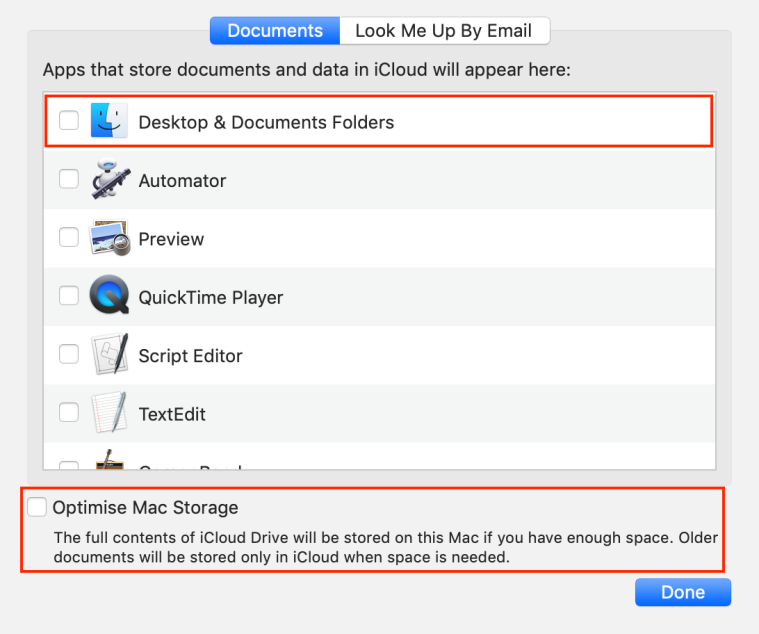
If you are running macOS Sierra 10.12 or later and have iCloud Drive enabled then you may be having an issue with your saves. Is the game like new again every time you start it up and all your previous progress is gone? If so then iCloud has been set to move your Documents and Desktop folders to iCloud. Even though your Documents folder is being stored in the cloud, your Mac is also storing a copy locally so your game will keep loading your saves. If you have Optimise Mac Storage enabled in the System Preferences > iCloud settings, iCloud will store your Documents folder in the cloud where your game will not look for it when your internal storage starts filling up. So every time your game loads it is recreating a brand new Sims 4 user data folder because it cannot find the original.

You can get round this by freeing up space on your Mac so it starts storing the files locally again:

  • Open System Preferences > iCloud > iCloud Drive then click on the Options button and uncheck the box next to Desktop & Documents Folder.
  • Disable Optimise Mac Storage  so files are not automatically moved to the cloud when internal storage is getting full.

This means that your Documents folder will stay localised on your Mac and not be pushed to the cloud. Your game will then happily be able to load your previous save from your Documents > Electronic Arts > The Sims 4 folder.

If you have general space issues you can store your Sims 4 folder externally or in the cloud using alternate methods.

For issues with CC and Mods not appearing in-game the same instructions apply. There can also be other reasons which you can find here.

The following links explain iCloud Drive in more detail, including how to save your Documents folder contents back onto your Mac:

http://www.apple.com/uk/icloud/icloud-drive/
https://support.apple.com/en-gb/HT206985
http://www.imore.com/how-save-your-desktop-and-documents-folder-icloud-drive-macos-sierra

Understanding Desktop and Documents Folder Syncing