

Only applicable to the 32-bit version of the Sims 3
Since the update to Origin (v. 10) last week which gave it a new look and moved things around some Mac Simmers are reporting that they cannot download Expansion Packs anymore. When clicking on the Download button nothing happens. The issue is currently under investigation so hopefully it will be fixed in an update soon.
Meanwhile, here’s the workaround you can use until EA fix it:
Here’s the problem – the EP is downloading fine but Origin is not automatically launching the installer so you are not getting the Copy to Clipboard option for your product code before the installation process. The installer is located in the Origin Library folder, in Application Support so it can be opened manually. However, you will need to contact Customer Support for your product codes. Here’s exactly what you need to do:
- Download the EP as usual
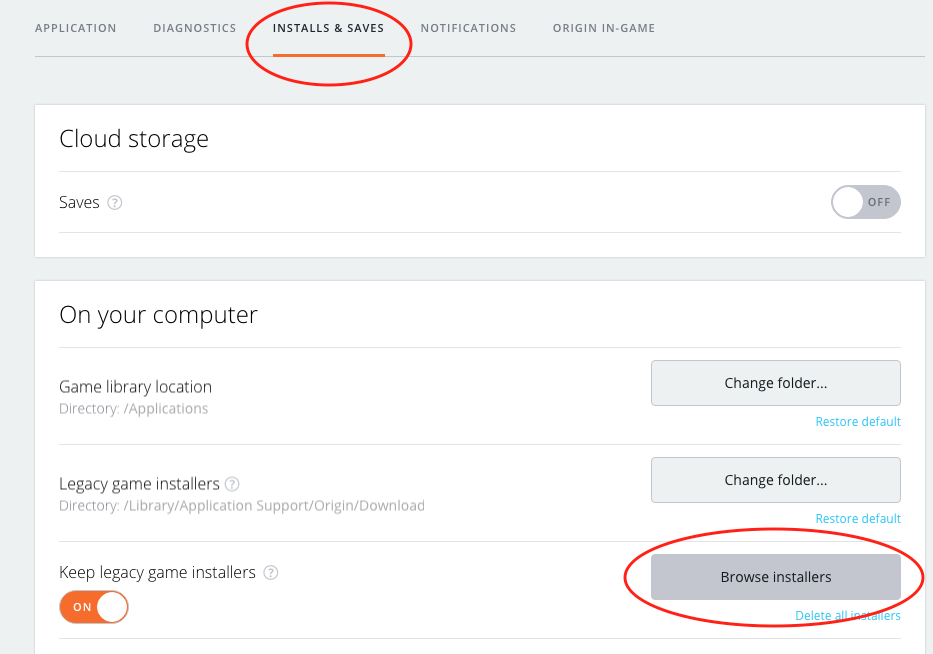
- Once it has finished downloading click on Origin > Preferences in the menu bar
- Now click on Installs & Saves then Browse Game Installers:
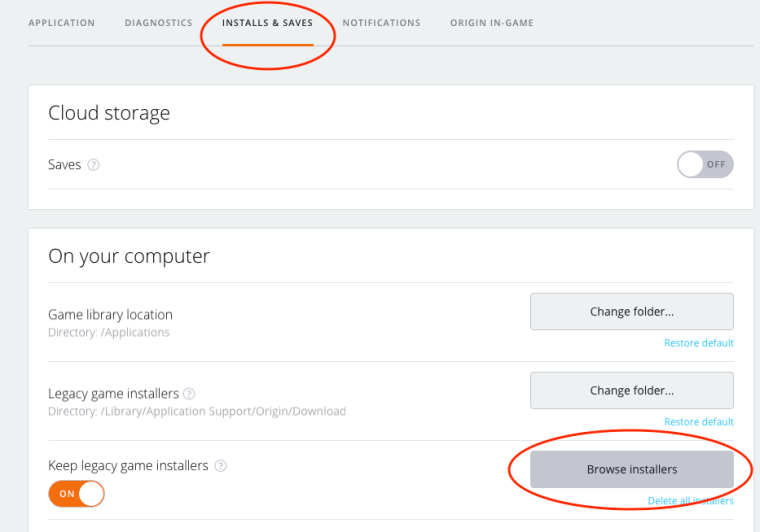
- In the Finder window that opens, open the folder with the most recent date modified then double click on the installer for the EP you have just downloaded. It will be a file type .dmg and may have the EP title and/or number in it.
- The installer will open and ask for your product code. If you have this from a disc copy that you had of the game just enter it and go through the installation procedure. If you do not have it then you will need to contact EA Customer Support who can verify your account and give you your product code to enter.
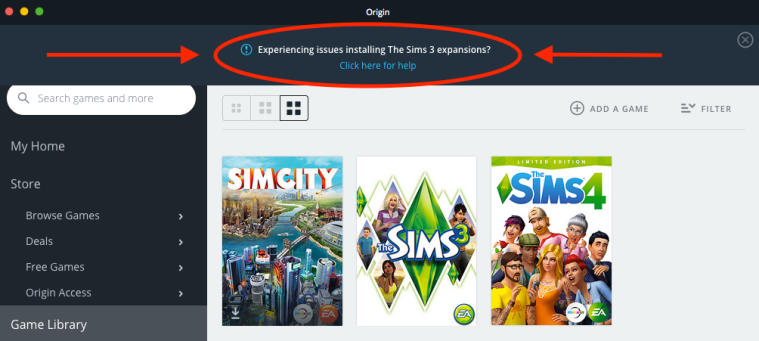
They’ve also added the link to my AHQ solution in Origin, for anyone who’s missed it:

 Bluebellflora