

Tamamaro Sims 4 Plant Light Recolour

I’ve always loved this simple plant light but wanted a few more lighter colours. I chose marble and stone textures and added in a ceramic and gold too.
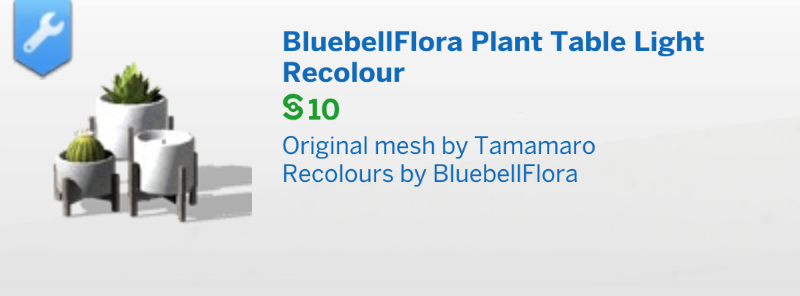
Unfortunately Tamamaro’s original CC plant light no longer seems to be available online, I have uploaded their original so my recolours will place in game and you can enjoy their lovely original colours too. You can find a viewable link on the Sims 4 Updates page here.

You will also need the The Sims 4 Perfect Patio Stuff Pack installed for this light to place.

Downloads:

  1. Original plant light by Tamamaro (needed for the object recolours to work): SimFileShare or Google Drive
  2. My recolours: SimFileShare or Google Drive

CC in pictures:
Picture – Pot – Plant

Recolours made using Photoshop and Sims 4 Studio.

Sims 4 will not update in Origin for Mac

If your game will not update in Origin then you need to perform a ‘super’ repair. This super repair is also great for fixing, amongst other things, the following issues:

  • Greyed out Play or Install button in Origin
  • Game bouncing up and down in the Dock but not loading
  • Error messages appearing when trying to update.

To perform the repair do the following:

  1. In your Applications folder right click on the Sims 4 app and select Show Package Contents.
  2. Navigate to Contents > Mac OS.
  3. Right click on The Sims 4 and select Move to Trash. Don’t drag the file as it will only move an alias and leave the original in place. If there is another file in the folder, The Sims 4.par, leave it alone.
  4. Now open Origin, click on The Sims 4 in your Games Library and click on Download.

Your game should now be up to date. This fix can be applied as many times as needed.


Sims 4 CC and Mods not showing up in-game

Sometimes there are spikes in this issue being reported and it usually coincides with a game update or macOS update. Game updates can render CC/Mods incompatible so you need to check with the creator that the content you use has been updated to work with the current patch level of the game. When macOS updates are applied this can sometimes change iCloud Drive settings if dialogue windows ask the user to confirm new actions so check the location of your Documents folder in System Preferences.

  1. Are CC and Mods enabled in your game options? If not enable them and restart the game.
  2. Is your game fully patched up to date?
  3. Are the CC and Mods you’re trying to use fully compatible with the latest version of the game? Check on the creator’s website that they are. The good creators will always check their content is compatible after an update and release an updated version if necessary or possible. Check the SimsVIP broken Mods page for updated lists after each patch.
  4. Are the CC/Mods definitely for Sims 4 and not Sims 1, 2 or 3?
  5. Have you unzipped the downloaded CC/Mods so you are only placing .package and/or .ts4script files in your Mods folder?
  6. Do you have iCloud Drive enabled to store your Documents folder in the cloud? If your Mac internal storage is getting full and Optimise Mac Storage is enabled, it will automatically push files to the cloud.
  7. Have you tried repairing your game? Right click on the game in your Origin games library and select repair game.

ItsaprilXD’s fabulous guide to installing CC/Mods on a Mac is also worth a read.