
AHQ has updated the EA App forum:
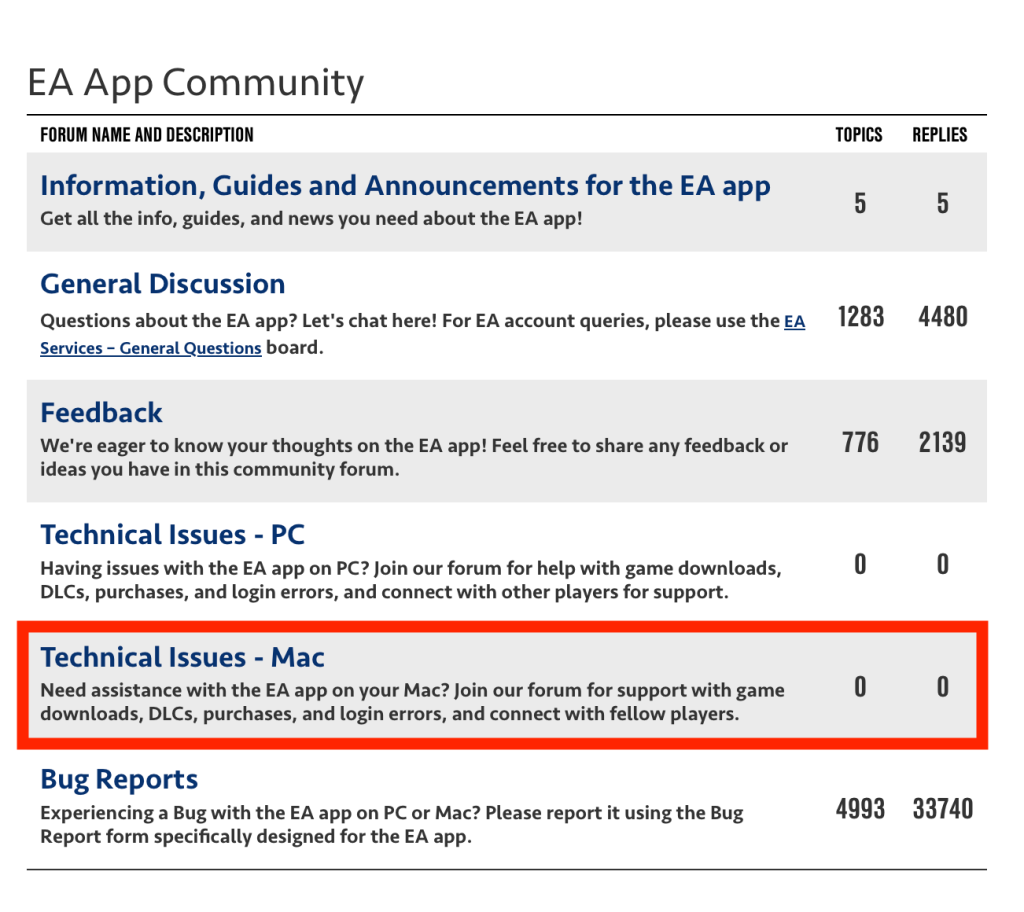
The FAQ has also been updated to incorporate basic Mac/EA App troubleshooting
I’m not yet seeing any switch options when I open Origin, is anyone out there seeing anything? Maybe it’s being slooooooowly rolled out 🤔

AHQ has updated the EA App forum:
The FAQ has also been updated to incorporate basic Mac/EA App troubleshooting
I’m not yet seeing any switch options when I open Origin, is anyone out there seeing anything? Maybe it’s being slooooooowly rolled out 🤔

If you experience this error message at the main menu in The Sims 4 when launching the game, don’t panic! It’s nothing to worry about and won’t stop you playing the game.

It’s simply because EA haven’t updated the GraphicsCards.sgr file in the main game to incorporate your GPU. You can do one of two things to stop the message from appearing:
GraphicsCards.sgr file I have uploaded hereOr:
GraphicsCards.sgr file and select CopyGraphicsCards.sgr file you have pasted into the ConfigOverride folder. If prompted to choose an Application in Finder, choose TextEdit.vendor "Apple" 0x106B
card 0x0000 "Apple M4" $cardLevelUber $resolutionHigh $cardLevelUber
card 0x0000 "Apple M4 Max" $cardLevelUber $resolutionHigh $cardLevelUber
card 0x0000 "Apple M4 Pro" $cardLevelUber $resolutionHigh $cardLevelUber
card 0x0000 "Apple M3" $cardLevelUber $resolutionHigh $cardLevelUber
card 0x0000 "Apple M3 Max" $cardLevelUber $resolutionHigh $cardLevelUber
card 0x0000 "Apple M3 Pro" $cardLevelUber $resolutionHigh $cardLevelUber
card 0x0000 "Apple M2" $cardLevelUber $resolutionHigh $cardLevelUber
card 0x0000 "Apple M2 Max" $cardLevelUber $resolutionHigh $cardLevelUber
card 0x0000 "Apple M2 Pro" $cardLevelUber $resolutionHigh $cardLevelUber
card 0x0000 "Apple M1" $cardLevelUber $resolutionHigh $cardLevelUber
card 0x0000 "Apple M1 Max" $cardLevelUber $resolutionHigh $cardLevelUber
card 0x0000 "Apple M1 Pro" $cardLevelUber $resolutionHigh $cardLevelUber
card 0x0000 "Apple A12Z" $cardLevelUber $resolutionHigh
endGraphicsCards.sgr file, saving if prompted (you shouldn’t be)It’s important to copy and paste the GraphicsCards.sgr file. Do not drag it to the ConfigOverride folder as it will only create an alias of the original file.
The lines above add all Apple Silicon models to the .sgr file. I think all previous Intel model Macs are covered but if you’re on an Intel Mac and getting the error, jump into my Discord support server for help.
This is not a Mod in the typical sense, it does not need to be in your Mods folder, it is a simple addition to a simple text file. For more info on the ConfigOverride folder see this article.

The recent spate of malware in certain Sims 4 Mods available at The Sims Resource, Mod The Sims, LoversLab and CurseForge has been pretty shocking. For a full list of affected Mods, head over to the Answers HQ Mods forum and read the stickied thread here which Luth maintains and keeps updated.
The malicious code was found in script mods, not package files (script mods are the ones that end .ts4script). Thankfully this would not have impacted any Mac users running the game because macOS cannot natively run exe files but don’t let that make you complacent. If you have one of these files in your Mods folder, and copy that Mods folder to a Boot Camped Windows partition, or VM running Windows on your Mac, or share that Mods folder with another user (NEVER a good idea), you are passing the infected Mods on.
The brilliant TwistedMexi has made the ModGuard Mod available for free and immediate download to check for suspicious files – “ModGuard blocks common virus vectors, tracks the mod file that attempted to download it, notifies you, and shares the mod name with our team so compromised modder accounts can be notified as soon as possible.” I STRONGLY suggest that if you are a Mod user, you download and install this Mod, even if you are on a Mac. This protects the wider community, not just yourself.
Sims After Dark are also updating the Simming community here. I would also recommend joining their excellent Discord Server if you are a Mod user.
 Bluebellflora