

Running macOS Mojave? Updated security settings in the operating system no longer permit Origin in-game to run. If you want to have it enabled please read this update – https://bluebellflora.com/2018/09/22/disabling-origin-in-game-is-the-way-forward/
Having Origin enabled in-game has always caused issues on Macs. As well as causing lagging issues it can also cause your game to not load, something which seems to be becoming more frequent amongst players. So the best thing to do is just disable it. Unfortunately you will have to do this after each Origin update as it annoyingly enables itself each time.
- Open Origin then click on Origin > Preferences in the menu bar
- Click on Origin in-game on the right side
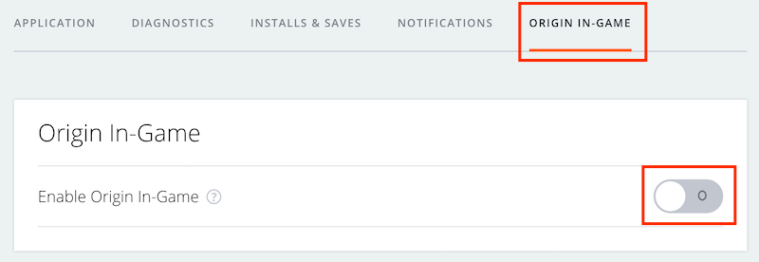
- If Origin is enabled in-game the button will show green. Click on it to turn it off so it looks like the picture above.
- Right click on the game in your Games Library and select Game Properties. Uncheck the box next to Enable Origin In Game for The Sims 4.



 Bluebellflora