

Boxy shadows under Sim since 1.58 patch

Do you have these horrible shadows under your Sims since downloading the Discover University patch?
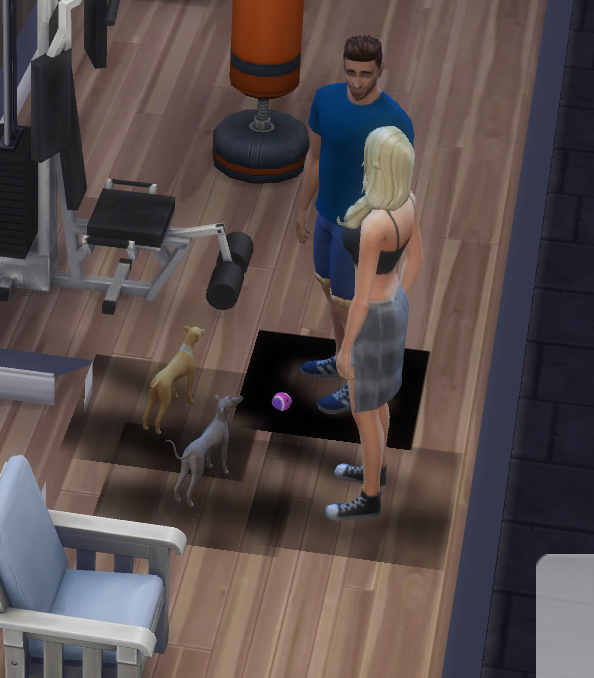
thanks to Ryguy2707 for the screenshot

You can get rid of them in several ways like enabling laptop mode or disabling post processing effects. My preferred method is to edit the GraphicsRules.sgr file as it does not affect any other graphics settings. You will need to apply this fix after each patch update as the file will be replaced (or until EA fix the problem):

  1. Follow these instructions to make copies of the graphics files and add them to your Sims 4 folder – https://bluebellflora.com/2020/09/03/what-is-the-configoverride-folder-editing-sims-4-graphics-files-the-easy-way/
  2. Open the GraphicsRules.sgr file with TextEdit
  3. Hold down CMD and F to bring up the search box and enter SSAO
  4. There should be four results of SsaoEnabled that come up
  5. Make sure the value next to it is false for each instance:
    prop $ConfigGroup SsaoEnabled false
  6. Close the file, it should automatically save

They should now be gone!
Sims 4 Discover University – only available on Metal supported Macs

University is coming, one of the most requested packs in the long line of Sims 4 additional content. Whilst this is great news for some, for those on pre-2012 Macs not capable of supporting Metal it’s not good news. EA have announced the system requirements for the pack to support only Metal supported Macs:

MINIMUM SPECS:
OS: Metal required. Mac OS® X 10.11 (El Capitan)
CPU: Intel Core 2 Duo 2.4GHz Processor or better
RAM: At least 4 GB RAM
HARD DRIVE: At least 15 GB of free space with at least 1 GB additional space for custom content and saved games
VIDEO: NVIDIA GeForce 9600M GT, ATI Radeon HD 2600 Pro or better. Video RAM of 256MB or better
INPUT: Keyboard and Mouse
ONLINE REQUIREMENTS: Internet connection required for product activation.

RECOMMENDED SPECS:
OS: Mac OS® X 10.11 or later
PROCESSOR: Intel Core i5 or better
VIDEO CARD: NVIDIA GTX 650 or better
MEMORY: 8GB RAM
HARD DRIVE: 18 GB of Hard Drive space

Don’t be confused if your Mac meets all the other minimum requirements, even if it is running El Capitan. If it is not one of the machines listed below, it will not run University:

Maybe this means the Legacy Edition of Sims 4 for non-Metal Macs is coming soon……..?

Sims 4 patch for macOS Catalina players 1.56.55.1220

EA have released a small but very important patch today (23 October 2019) for Mac only. This addresses the issues arising through Apple’s security updates in 10.15 Catalina, specifically:

  • Game not having full access to the Documents folder resulting in user data not loading properly
  • Origin error message stating that the game is already running
  • Error Code 0 when trying to save

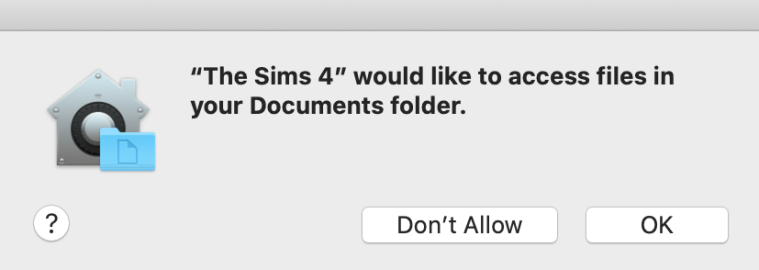
After updating you should be prompted to allow the Sims 4 access to your Documents folder. You MUST grant access for your game to correctly load your data.

Get patching! (But not if you are running Lion).