


The Sims 4 received a major update for Mac users in April. Not in terms of game content but changes to the way it is installed to comply with Apple’s notarisation terms for Catalina, enhancing the security of your system. As a by-product of the notarisation you may now see a greyed out Finalizing option under the game in your Origin games library when you install content, install a patch, or repair the game:

This is normal and is the OS checking that the download in Origin is all safe and ok to run. It can show as finalizing for any length of time, depending on your Mac hardware. The more powerful your CPU, the quicker it will complete the checks. You may notice the fans ramping up in your Mac during this process, that is normal as it is using a significant amount of CPU so is in need of sufficient cooling during the process. Occasionally the button doesn’t change and seems stuck on finalizing. Don’t panic if this is the case! Try the following to fix it:
- Quit Origin and reload it. It may now say Play.
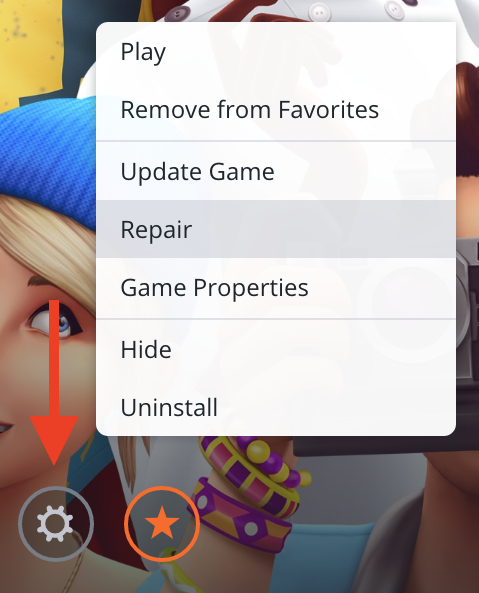
- Click on the white cog that says Settings when you hover your cursor over it and choose repair:
- Load your game by double clicking on the Sims 4 app in your Applications folder, as you would normally load any other app.
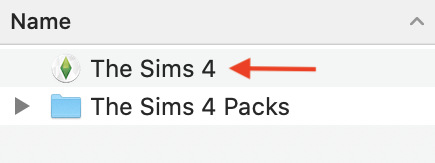 This will automatically launch Origin and then the game. Remember you have two Applications folders, the system one and your user account one. By default Origin currently installs the game to your user Applications folder unless you have changed the setting. The locations can be found here:
- Macintosh HD > Applications (your internal drive may have a different name but by default it is Macintosh HD)
- Macintosh HD > Users > [Your User Account] > Applications
 Bluebellflora