Sims 4 will not update in Origin for Mac

If your game will not update in Origin then you need to perform a ‘super’ repair. This super repair is also great for fixing, amongst other things, the following issues:

  • Greyed out Play or Install button in Origin
  • Game bouncing up and down in the Dock but not loading
  • Error messages appearing when trying to update.

To perform the repair do the following:

  1. In your Applications folder right click on the Sims 4 app and select Show Package Contents.
  2. Navigate to Contents > Mac OS.
  3. Right click on The Sims 4 and select Move to Trash. Don’t drag the file as it will only move an alias and leave the original in place. If there is another file in the folder, The Sims 4.par, leave it alone.
  4. Now open Origin, click on The Sims 4 in your Games Library and click on Download.

Your game should now be up to date. This fix can be applied as many times as needed.

 

Sims 4 screen flickering

This problem has been around for a while and affected some Mac users but not all.

Symptom
When you play your game the screen will flicker and changing certain graphics options in-game doesn’t fix it.

Cause
Edge Smoothing settings in the Graphics Options in-game.

Solution
Play around with the Edge Smoothing settings in the Graphics Options menu. Try turning it off if you have it on or lowering it if you have it on high. Also try raising it if you have it on low.

Thanks to the wonderful people who have confirmed the issue and solution over on this thread at AHQ.

Origin Error Reporting now available for Mac

Finally! After two false starts with the previous patches and promises of Origin Error Reporting (OER) finally coming to Mac, it’s here!

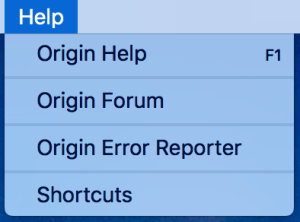
With the latest update, 10.5.12, you can now find the OER tool under the Help dropdown when you have Origin open:

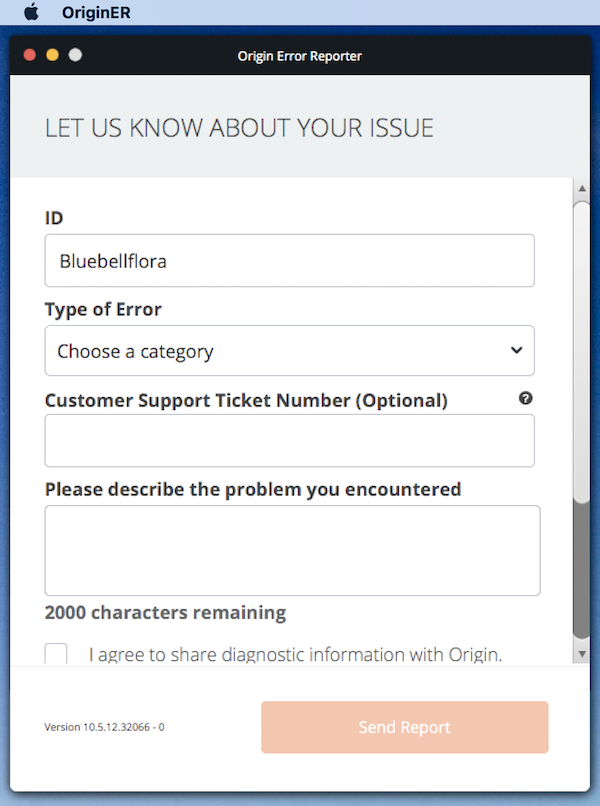
Simply click on it and fill in the details required in the pop up window:

For more information on OER including what it does, when to use it and how it helps EA, read the OER page here.

If Origin is not opening for you at all, you can still use OER to send diagnostic information to EA:

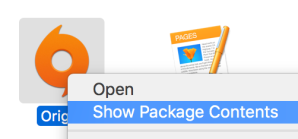
  1. Right click on the Origin app in your Applications folder and select Show Package Contents.
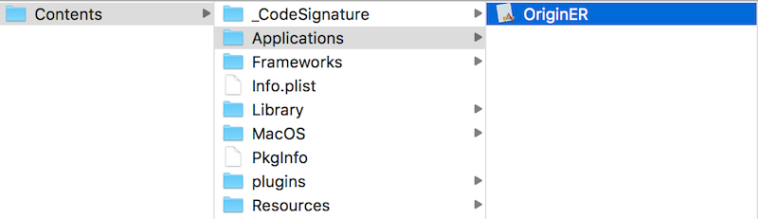
  2. In the Finder window navigate through to Contents > Applications.
  3. There should be a file in the folder called OriginER. Double click on it and the OER will open.