Sims 4 not loading CC or Mods – storage issues

If your CC/Mods aren’t loading in-game, and you have checked that the CC/Mods are properly installed, it is most likely the same reason as saves not loading, your iCloud Drive settings are pushing data to iCloud because your internal storage is full and you have Optimise Mac Storage enabled in System Preferences > Apple ID/iCloud.

Older documents will be stored only in iCloud when space is needed. If your internal storage is getting full it doesn’t matter how many files you keep adding to the Mods/Saves folder, the older files will be stored only in iCloud where the game cannot access them. If you keep adding files it will in fact push more files to the cloud.

To get round this you need to either disable the Optimise Mac Storage setting or, if you are feeling brave, use a symlink to redirect your Sims 4 folder to an external drive.

Remember CC/Mods must also:

  • be enabled in the in-game options
  • Be unzipped (unless the creator dictates otherwise) in .package or .ts4script format
  • be placed directly in the Mods folder
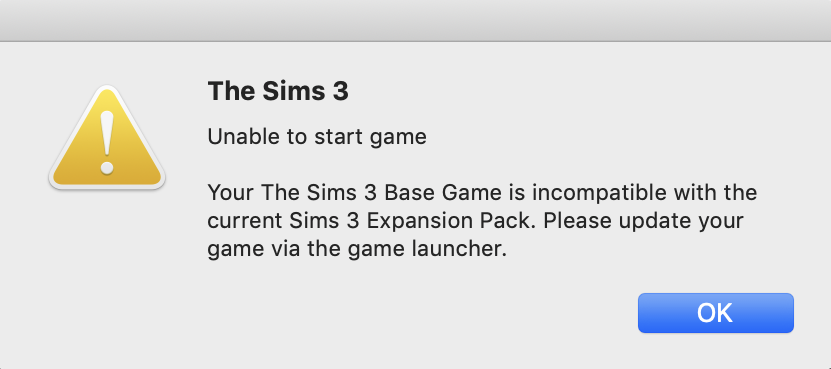
Sims 3 64-bit error – Base game is incompatible with the current Sims 3 expansion pack

If you’re getting this error:

Go into your Sims 3 user data folder (Documents > Electronic Arts > The Sims 3) and delete the Version.tag file. This affects users loading data from the original 32-bit game folder which was patch level 1.67. The 64-bit Metal version is 1.70. Trashing this file removes the mismatch which confuses the game.

64-bit Sims 3, quick pointers after installing

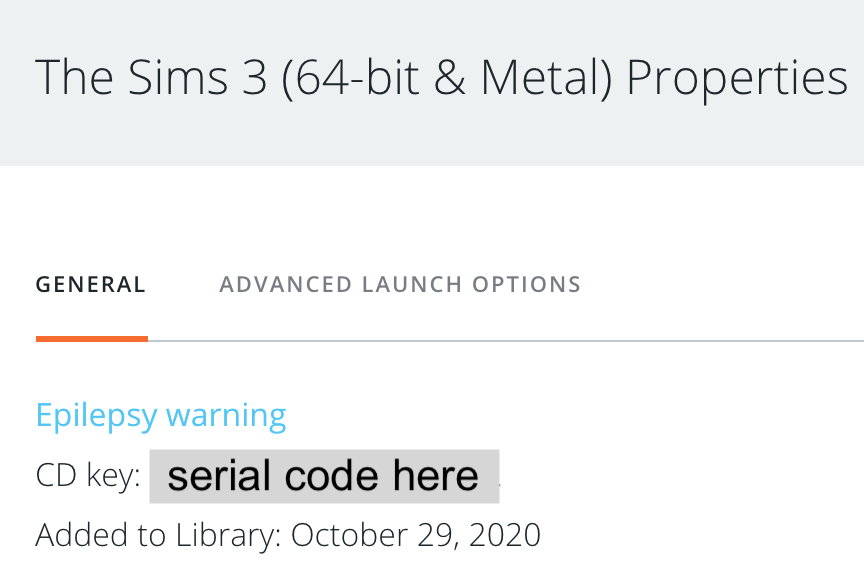
MaxisJoe has reported that they are currently rolling out the fix for the Installation Verification Error that affected everyone when the game launched yesterday. There is nothing you need to do for this, it will be a fix behind the scenes. You will be able to tell when you have it because a CD key will show up in Origin. Click on the Sims 3 64-bit in your Origin games library then the cog/gear then Game Properties. If you see a serial code next to CD Key then you should now be able to play:

Some brief points on this updated version for Mac players, in no particular order. This list is not exhaustive. You should also check out Puzzlezaddict’s excellent guide here at Answers HQ which will be regularly updated as we familiarise ourselves with this updated version of Sims 3:

Store items

  • download all your store stuff again from the Sims 3 Store. I have tried and tried to copy over my saved store content into the The Sims 3 > Downloads folder but just could not get it to install. I did however manage to happily use Safari and the link between the browser and Origin then Launcher seems to be solid.
  • If you need help with installing Store items please see this article which is still relevant to both versions of Sims 3.

Exchange – Downloading from the Exchange can be a bit hit or miss. If you’re having issues please do the following:

  • In Finder click on Go in the Menu bar then Go to folder. In the window copy and paste this ~/Library/Application Support/Origin/ then press Go. You should now be in a folder called Origin. Create a new folder called Installer Data, if there is not already one there, then repair the game.

Cheat console

The cheat console is now CMD, Shift and C, not CTRL, Shift and C.

Camera

The camera controls are awful and really buggy. Be slow and patient with them, don’t start hitting lots of keys to try and get them to work.

Catalogue items

If you are using a trackpad do not try and scroll in the build/buy catalogue. It’s really glitchy. Use the scroll bar at the side or use a mouse.